AI Checker
Plagiarism Checker
Grammar Checker
Content Quality
Guideline Checker
Readability Checker
Fact & AI Hallucination Checker

Extensions
MCP

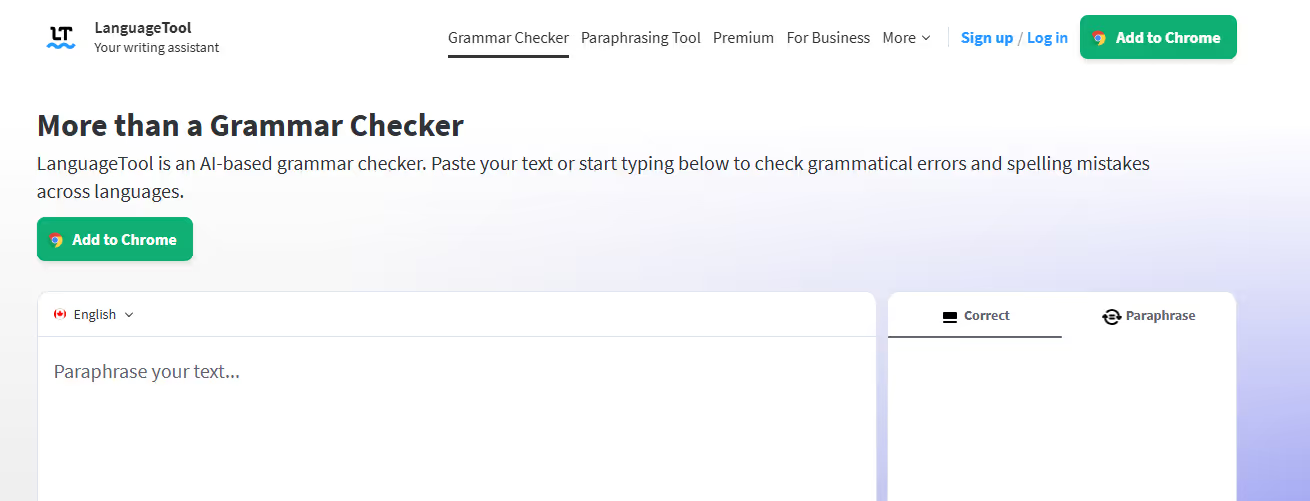
Grammarly may be one of the more popular brands when it comes to an online, AI-powered grammar checker, but for many multilingual students and content professionals, LanguageTool is indispensable.
Not only can LanguageTool check for grammar, spelling, and punctuation inconsistencies, but it can do so in multiple languages, from Arabic to Ukrainian.
In this detailed review, we tested how LanguageTool’s AI grammar checker worked, using AI passages written in English that were prompted to contain both basic and advanced grammatical errors. Our results, including screenshots, are below.
LanguageTool is a free AI grammar checker that checks grammar, spelling, and punctuation in over 30 different languages and dialects.
Language(s) often come with their own grammatical quirks and inconsistencies that can be tricky for learners.
From subject/verb agreement to too many commas (or too few), LanguageTool aims to help correct and standardize your writing in a variety of languages.
Students, content marketers, writers, and professionals alike use LanguageTool to check their writing skills in a variety of languages. If you need, for instance, a Spanish spell-checker or a way to quickly correct your French grammar, LanguageTool is an incredibly valuable resource that can help you improve your writing in those languages, and many others.
To use it, simply paste in your text or upload a Word document (.doc/.docx) to get started. In just seconds, LanguageTool will review your grammar and provide you with corrections on the right side pane. It will also tell you whether or not the error is spelling-based, grammatical, or punctuation-based.
You can optionally turn on “Picky Mode,” which unleashes the AI’s inner grammar pro. Picky mode is best reserved if you need to improve writing style in a particular language, or if you’re writing for a highly technical audience. For the purpose of our review, we kept picky mode off.
For our testing purposes, we used ChatGPT-4o to generate two versions of text.
The first was a 200-word passage about content marketing, but with only basic grammar, spelling, and punctuation errors woven into it. Here is the prompt we used:

The second prompt asked ChatGPT for a text passage that used more advanced grammar, spelling, and punctuation errors to see if LanguageTool’s AI grammar checker could pick up even more subtle differences. Here is the prompt we used:

For the first test, LanguageTool was able to identify the majority of spelling, grammar, and punctuation errors:
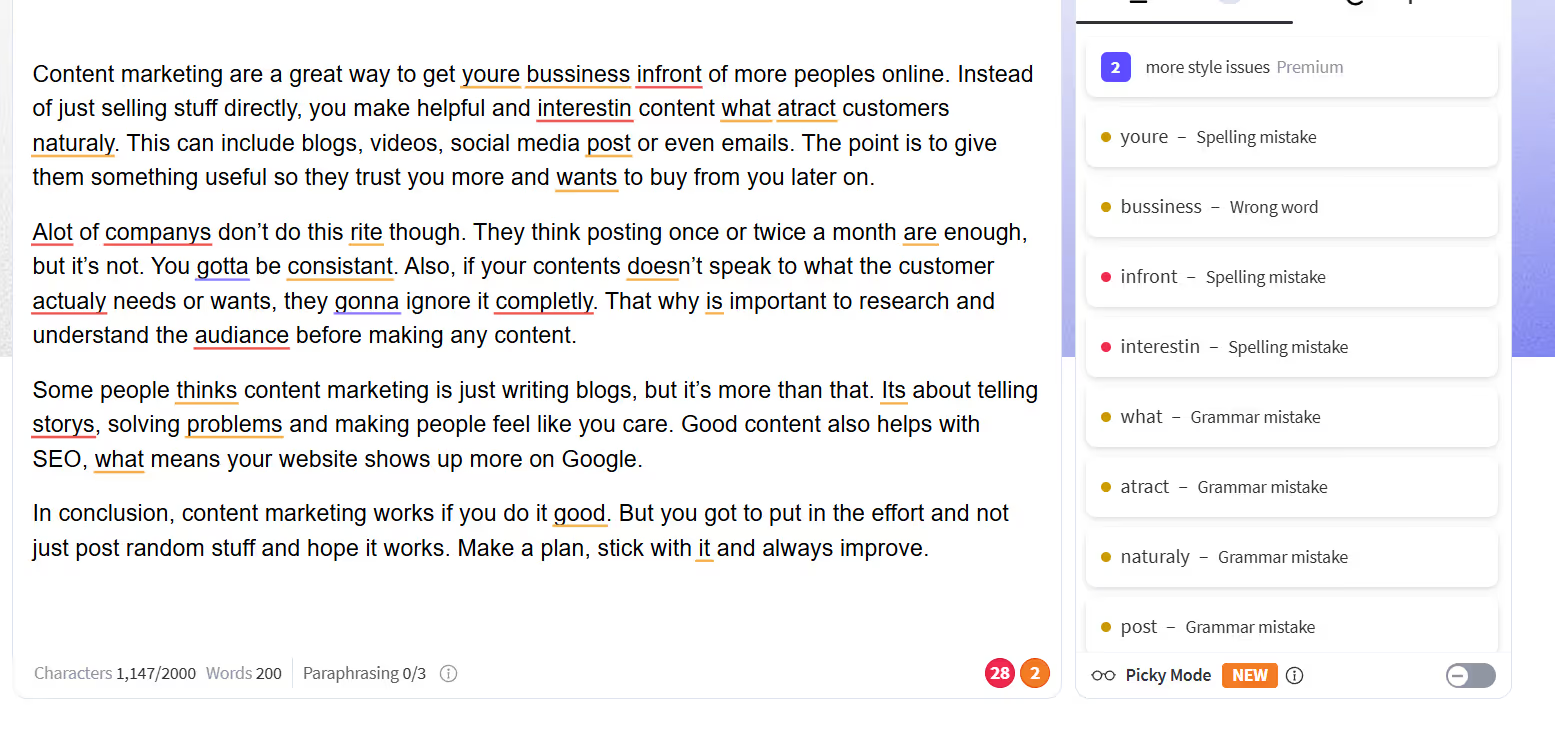
However, if you look closely, you’ll see that it also missed quite a few grammar errors, some of which we’ve highlighted below.
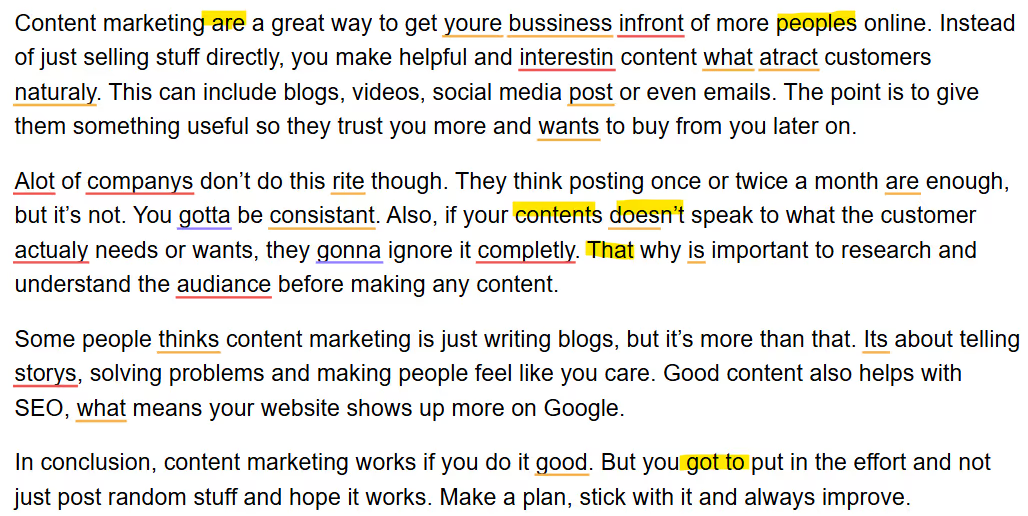
These missed errors may be due to limitations of the free version of the tool (as more advanced grammar features are available on premium plans).
For instance, the pricing page notes that errors like agreement issues and incorrect word combinations are only available on the premium plan.
However, it’s not immediately clear to the user what grammar errors are corrected in the free version (and what grammar errors aren’t) unless they navigate to the pricing page. The scan screen only notes that some premium stylistic corrections are available.
For the second, more advanced test, LanguageTool picked up the majority of errors, while sidestepping more advanced corrections.
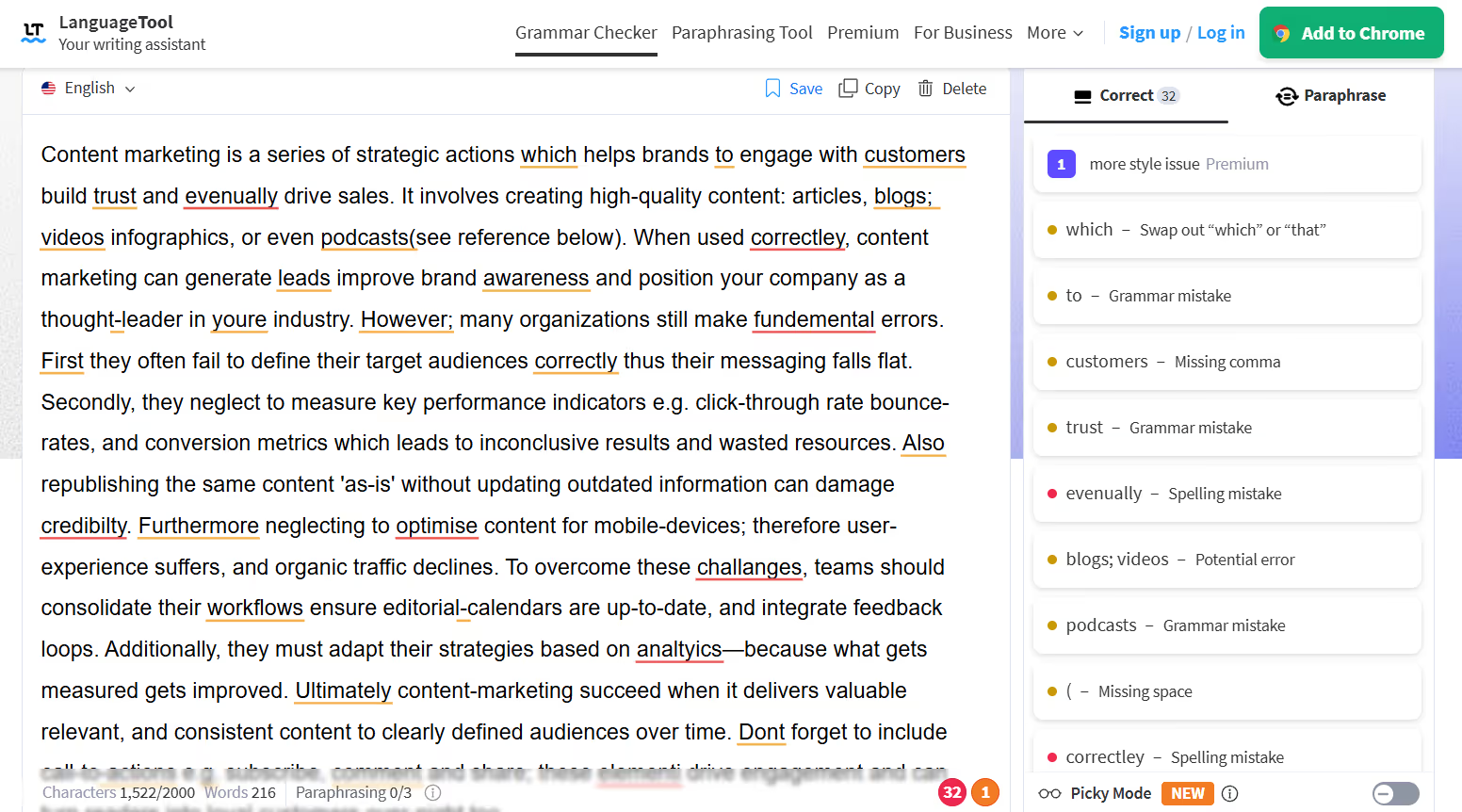
Overall, LanguageTool performed well: the free version quickly highlighted spelling and punctuation errors as well as some grammar mistakes, but not all.
Although the system does tell you when there are style errors, it isn’t clear to the first-time user that there may still be errors in their text that aren’t noted because of the limitations in the free version.
The AI grammar checker was incredibly fast, and the user interface was easy to navigate and understand, making it convenient to quickly scan for and fix errors on-the-fly.
If you’re looking for a simple way to check your grammar, LanguageTool can be helpful, but keep in mind that the free version does have its limitations, and there may still be some errors lingering in your content unless you upgrade to the premium version.
While LanguageTool did well at identifying grammar errors, the main focus of the tool, it was also missing some of the key features that many users look for in content review tools. For instance, it didn’t offer an AI detector or a readability score, which are essential for content quality checks.
As an alternative, consider Originality.ai’s patented suite of content quality tools, which includes a grammar checker, AI detector (with academic and multilingual models), readability checker, and more.
Read more about grammar checking tools:
LanguageTool is free to use to check up to 2,000 characters. It also offers a free Google Chrome extension so that you can check your writing across other platforms.
This is arguably one of LanguageTool’s best features. Not only does it support over 30 different languages, but it also includes regional language options, e.g., for English (US, Canadian, British, etc.).

AI & Plagiarism Detector for Serious Content Publishers
Originality.ai
64 Hurontario St
Collingwood, Ontario
L9Y 2L6








