AI Checker
Plagiarism Checker
Grammar Checker
Content Quality
Guideline Checker
Readability Checker
Fact Checker

Extensions































A complete suite of QA/QC products

Streamline content checks for your school, agency, or enterprise with six content integrity tools.

AI Checker ›
Accurate AI detection for GPT 5.6, Gemini 3.7 Flash, Grok 4.6 and more.

Plagiarism Scans ›
Accurate plagiarism scans (up to 99.5%) for essays, blogs, and articles.

Fact Check ›
Catch factual inaccuracies and identify AI hallucinations.

Readability ›
Improve readability to communicate clearly across blogs, papers, and more.

Grammar ›
Flag spelling and grammar errors to improve writing.

Content Quality ›
Review the quality of content to publish confidently.

Bulk Scan Features for Schools & Enterprise

Efficiently review up to 6MB of content files or URLs with Bulk Scan.

1 Scan = 6 Checks
Multiple File Support

Scanning Simplified
Clear Results
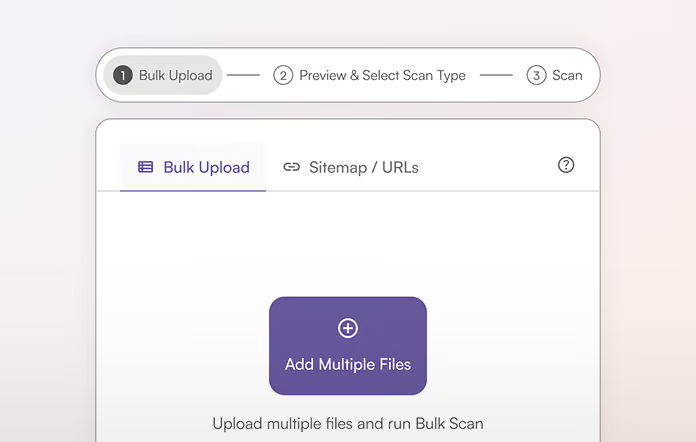
Step 1
Add Content
Upload (Excel or CSV), add URL, or sitemap.
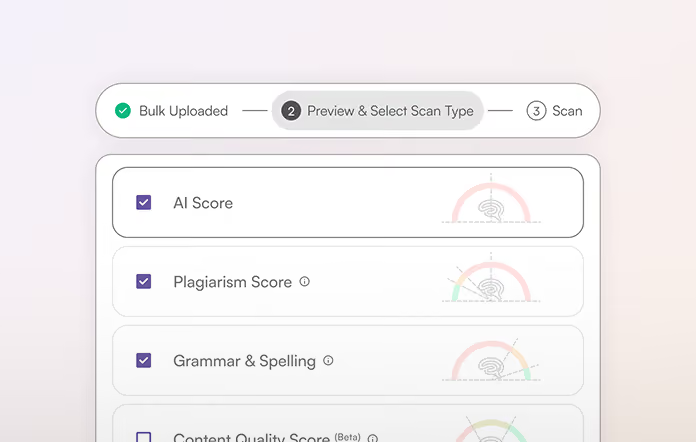
Step 2
Select Scans & Start
Select scan type(s): AI, Plagiarism, Facts, Readability, Grammar, and/or Content Quality
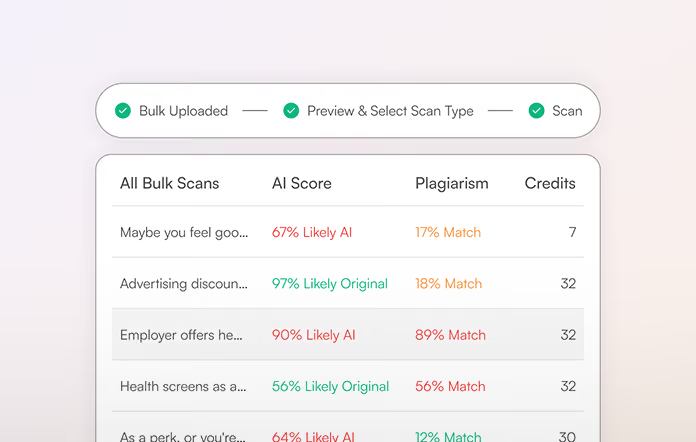
Step 3
Review Results
Get an email notification when results are ready and review a summary as well as individual results.

Schools & Enterprise

Editors & Marketers

Teachers & Professors

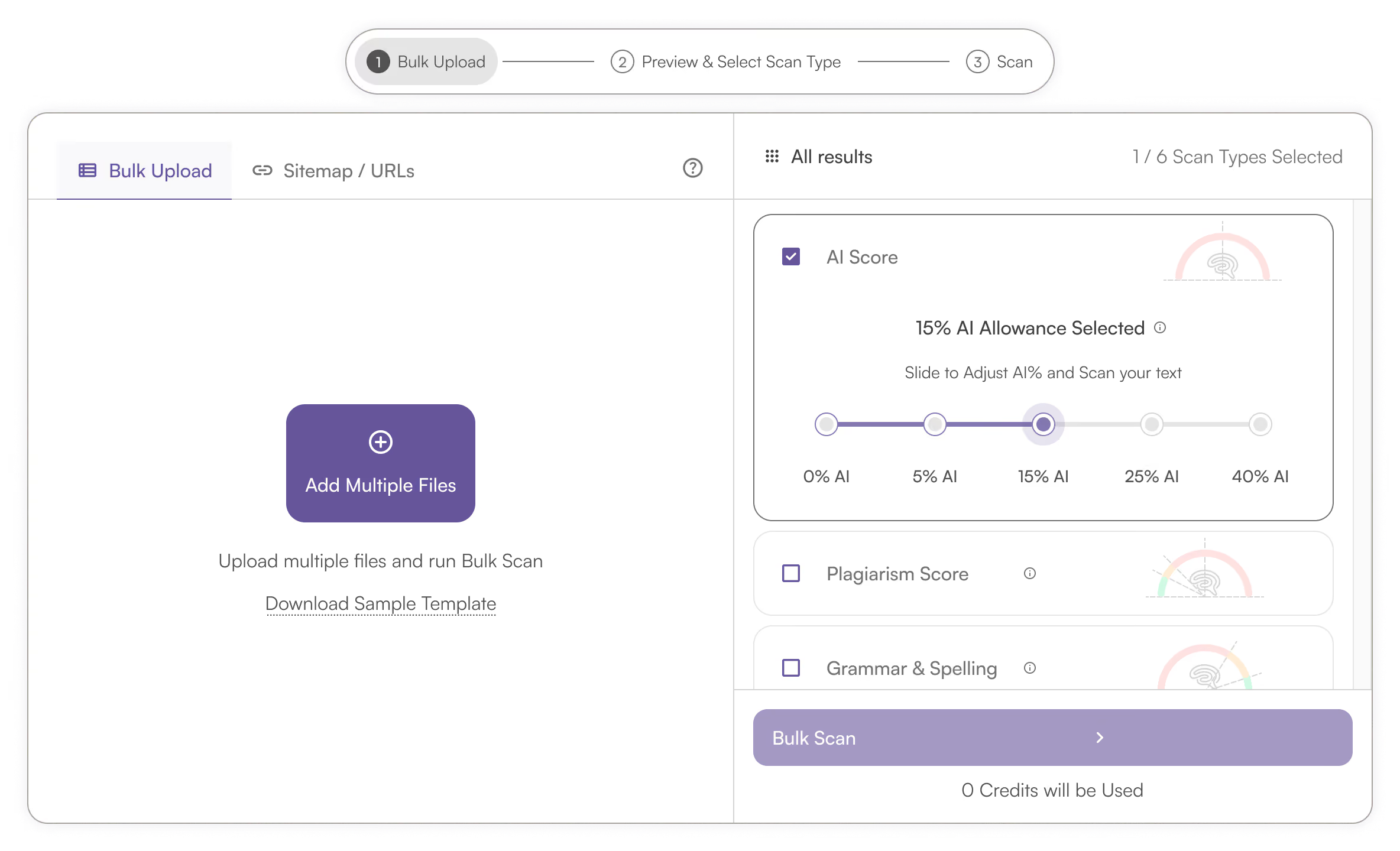
To batch process multiple files, you simply upload a CSV file (from Excel or Google Sheets) with rows of text samples or URLs. Need an example? Conveniently download our CSV template from within Bulk Scan. You can also add a website URL or sitemap.
Bulk scan covers 6 content quality checks. Optionally check for: AI content, plagiarism, factual accuracy, readability, grammar, and content quality, all with 1 scan.
The max scan size is currently 6 MB (this includes all text content and text loaded from URLs).
Once you click ‘Start Scan’ we’ll begin processing your file, but you don’t need to hang around. We’ll send you an email notification when the scan is complete and ready to review.
Yes, you can filter the results and review results for individual pages, files, and URLs.
Yes, Bulk Scan is built for the unique needs of schools and enterprises and is secure: TLS 1.2 or higher, with end-to-end military grade 256 bit industry-standard encryption.
That depends. Each Bulk Scan will provide you with an estimated credit usage before you confirm by clicking ‘Scan.’

AI & Plagiarism Detector for Serious Content Publishers
Originality.ai
64 Hurontario St
Collingwood, Ontario
L9Y 2L6