AI Checker
Plagiarism Checker
Grammar Checker
Content Quality
Guideline Checker
Readability Checker
Fact Checker

Extensions

LinkedIn is a social networking service and an online professional platform where you can find job opportunities, access online courses, and connect with other professionals. With the distinction between a regular social media application and a professional social platform, some may be looking for how best to navigate LinkedIn captions.
Nuelink, a social media scheduling and automation platform, offers a tool that creates an AI-generative caption designed for LinkedIn specifically, focusing on tone of voice, hashtags, and emoji use.
But are the AI-generated captions detectable? We tested the Nuelink LinkedIn Caption Generator tool with Originality.ai, as well as EaseMate and ZeroGPT, to find out.

To begin, let’s look at what the Nuelink LinkedIn Caption Generator offers its users.
The Nuelink LinkedIn Caption Generator is a free AI caption generator created specifically for LinkedIn captions.
Nuelink uses “advanced algorithms to craft a personalized caption tailored to your style, content, language, and tone of voice.”
With its differentiation from other social platforms, writing thoughtful, professional, and engaging posts for LinkedIn is a task that many may find challenging.
Some might look to a LinkedIn caption generator to sound more polished and professional, while others are looking to save time.
A user may also know the topic they want to write about, but is experiencing writer’s block and doesn’t know how they wish to expand on the idea.
The concept of a LinkedIn caption generator is that it can help overcome these obstacles to create polished LinkedIn content at scale.
The Nuelink LinkedIn Caption Generator is free to use. There is no login or registration needed in order to use the tool. It’s important to note that free users have a limit of three prompts per hour.
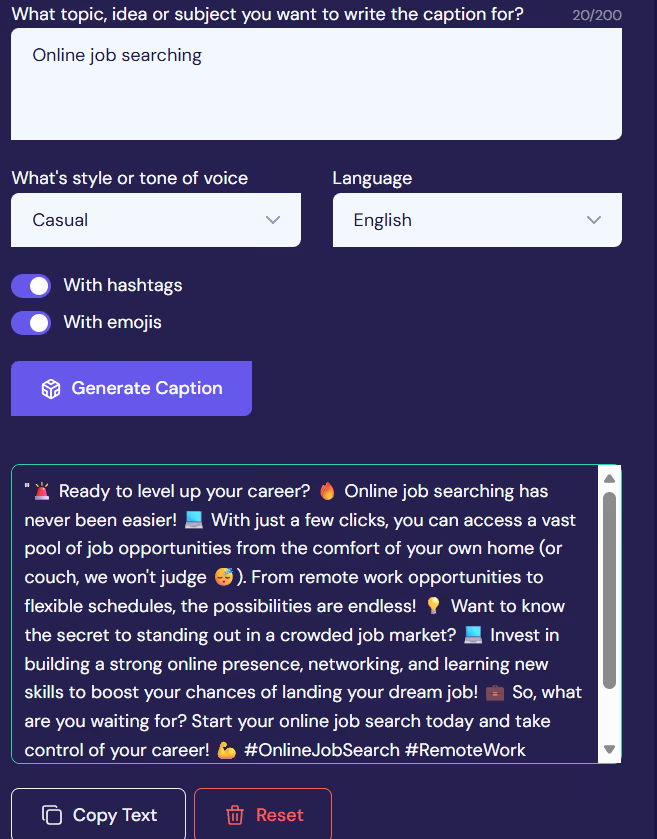
Users begin by inputting their prompt under “What topic, idea or subject you want to write the caption for?” where they can enter up to 200 characters.
Users can then select from a drop-down list of styles/tones of voice, including casual, helpful, sophisticated, and educational.
The option to pick from several different languages is also available.
Users have the option to toggle whether they want the use of emojis or hashtags to be included in their LinkedIn content before generating their caption.
We wanted to know if the Nuelink LinkedIn Caption Generator could be detected by Originality.ai, as well as other popular detection tools, ZeroGPT, and EaseMate.
We created the following test:
Let’s take a look at the results.

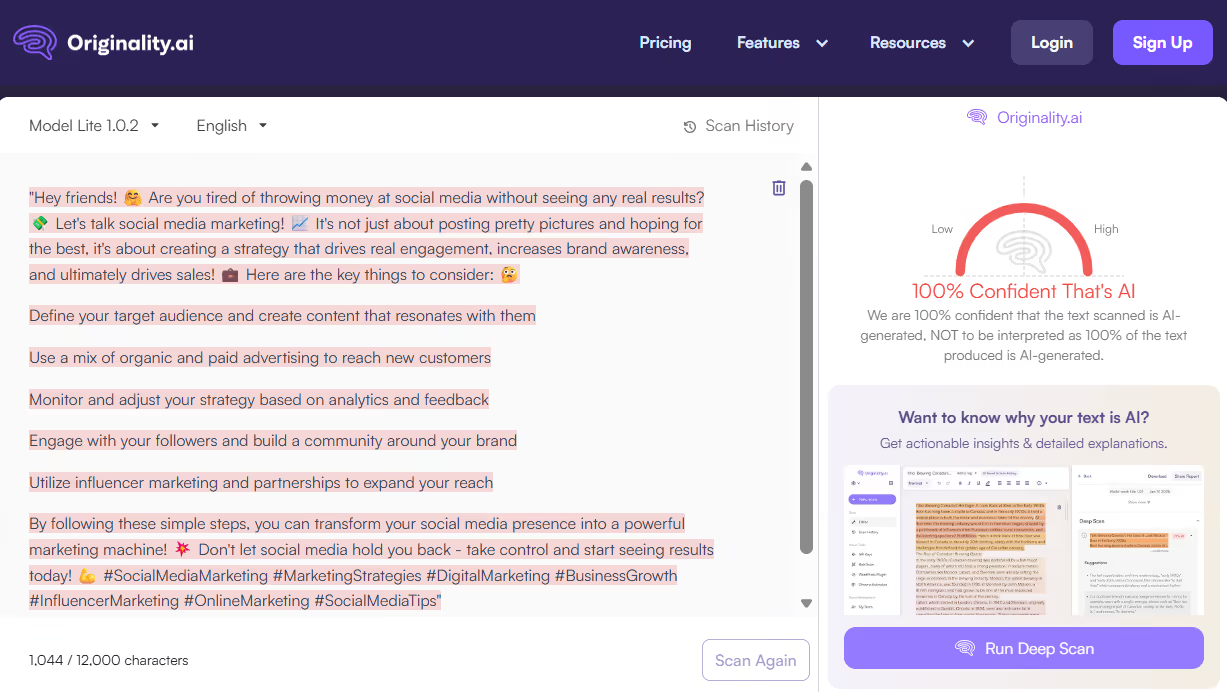
Originality.ai AI Checker: 100% Confidence it’s Likely AI
EaseMate AI Detector: 15% AI

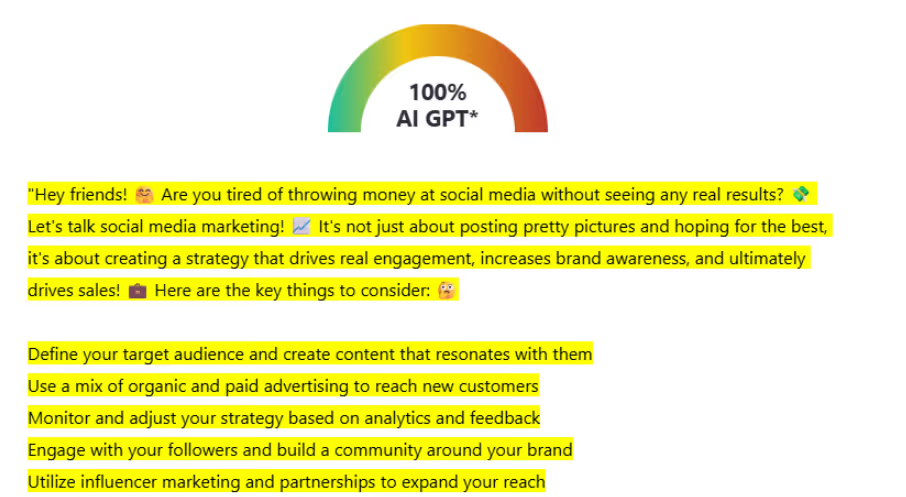
ZeroGPT AI Detector Score: 100% AI GPT
Originality.ai AI Checker: 100% Confidence it’s Likely AI

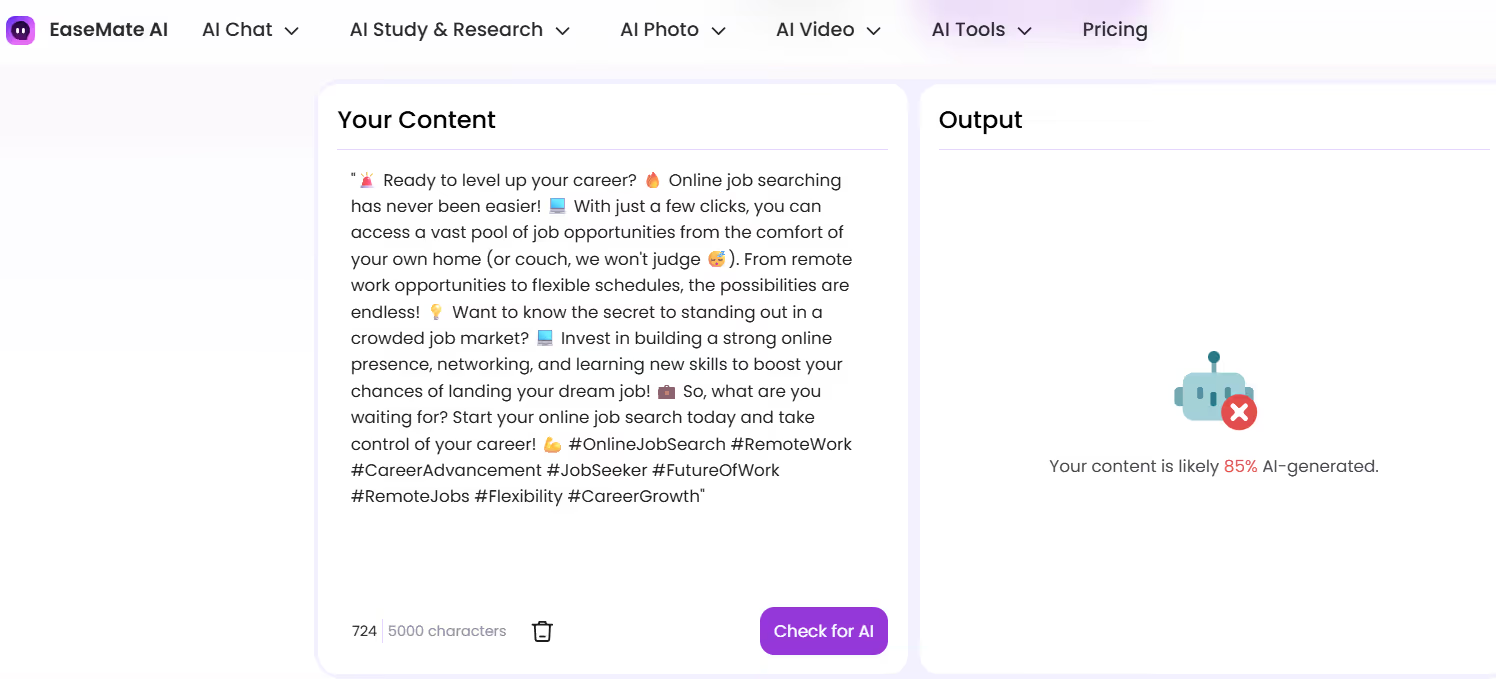
EaseMate AI Detector: Likely 85% AI-Generated
ZeroGPT AI Detector Score: 100% AI GPT

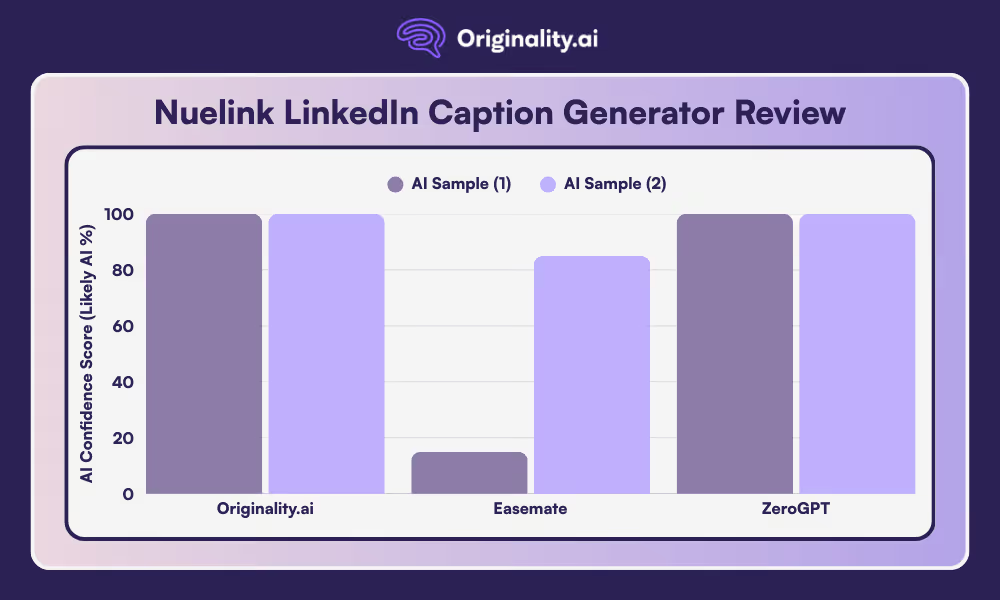
The LinkedIn caption content produced by the Nuelink LinkedIn Caption Generator was confidently detected as 100% Likely AI by Originality.ai.
ZeroGPT also noted 100% confidence that both generated LinkedIn captions were entirely written with AI.
EaseMate rated the caption generated on social media marketing by the Nuelink LinkedIn Caption Generator as being likely 15% AI-generated, while it rated the caption on online job searching as 85% AI-generated.
The results of our findings suggest that the Nuelink LinkedIn Caption Generator’s content is detectable as Likely AI by the industry-leading Originality.ai AI Checker.
Read more AI reviews:
Yes. The Nuelink LinkedIn Caption Generator uses AI to generate LinkedIn captions based on the user’s input, as well as tone, language, and other personalisation options.
Yes. The Nuelink LinkedIn Caption Generator is completely free to use, with no login needed.
The Nuelink LinkedIn Caption Generator has a maximum output of three AI requests per hour.
Our tests showed that Originality.ai detected the use of AI with 100% confidence when generating two captions with the Nuelink LinkedIn Caption Generator.
A potential drawback of using LinkedIn captions created through an AI generator is that the content may not reflect the professional or personal voice of the user.

AI & Plagiarism Detector for Serious Content Publishers
Originality.ai
64 Hurontario St
Collingwood, Ontario
L9Y 2L6








