AI Checker
Plagiarism Checker
Grammar Checker
Content Quality
Guideline Checker
Readability Checker
Fact & AI Hallucination Checker

Extensions
MCP
The Most Accurate AI Detector and Plagiarism Checker.




























A complete suite of QA/QC products

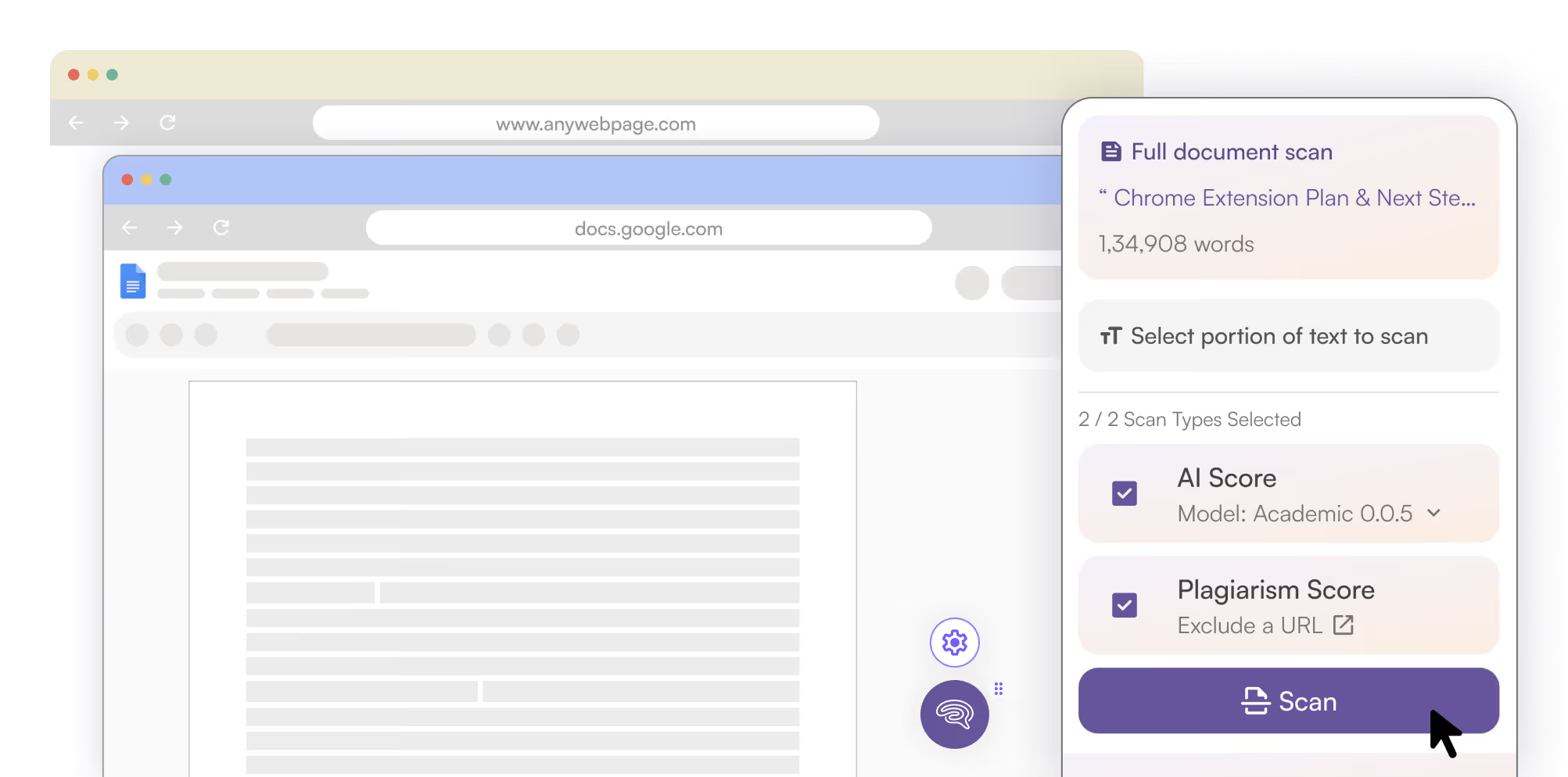
Confidently see if writing is human or Likely AI across Chrome, Google Docs, and Firefox. Then, level up your content checks with our Web-app.

AI Checker ›
AI Detector By Originality.ai™ for Google Docs, Chrome, and Firefox. Now with AI Allowance.

Plagiarism Checker ›
Industry-leading plagiarism checks in Google Docs, Chrome, and Firefox.

Writer Replay ›
Watch a sped up character-by-character replay of Google Docs creation.

Auto-Typing Detection ›
Did a human or bot write that? Find out with natural vs. auto-typing detection.
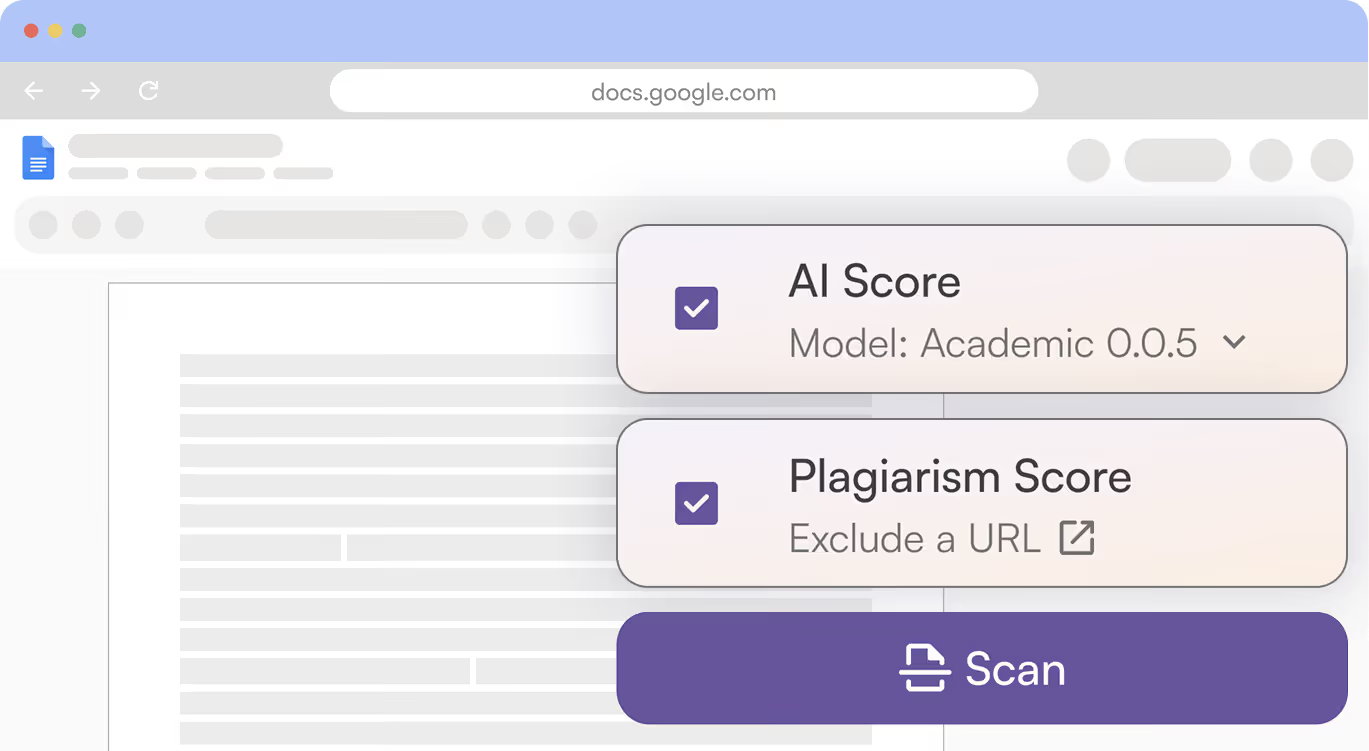

Confidently Verify Originality in Google Docs
Writing an essay, article, or blog? Reviewing a web page?
Check for AI writing (99% accuracy) and potential plagiarism (up to 99.5% accuracy) right in Google Docs and Chrome.
Now with AI Allowance for AI checks that adapt to your hybrid-content workflow.
Check out the proven accuracy studies: AI detection study + 3rd-party independent studies.
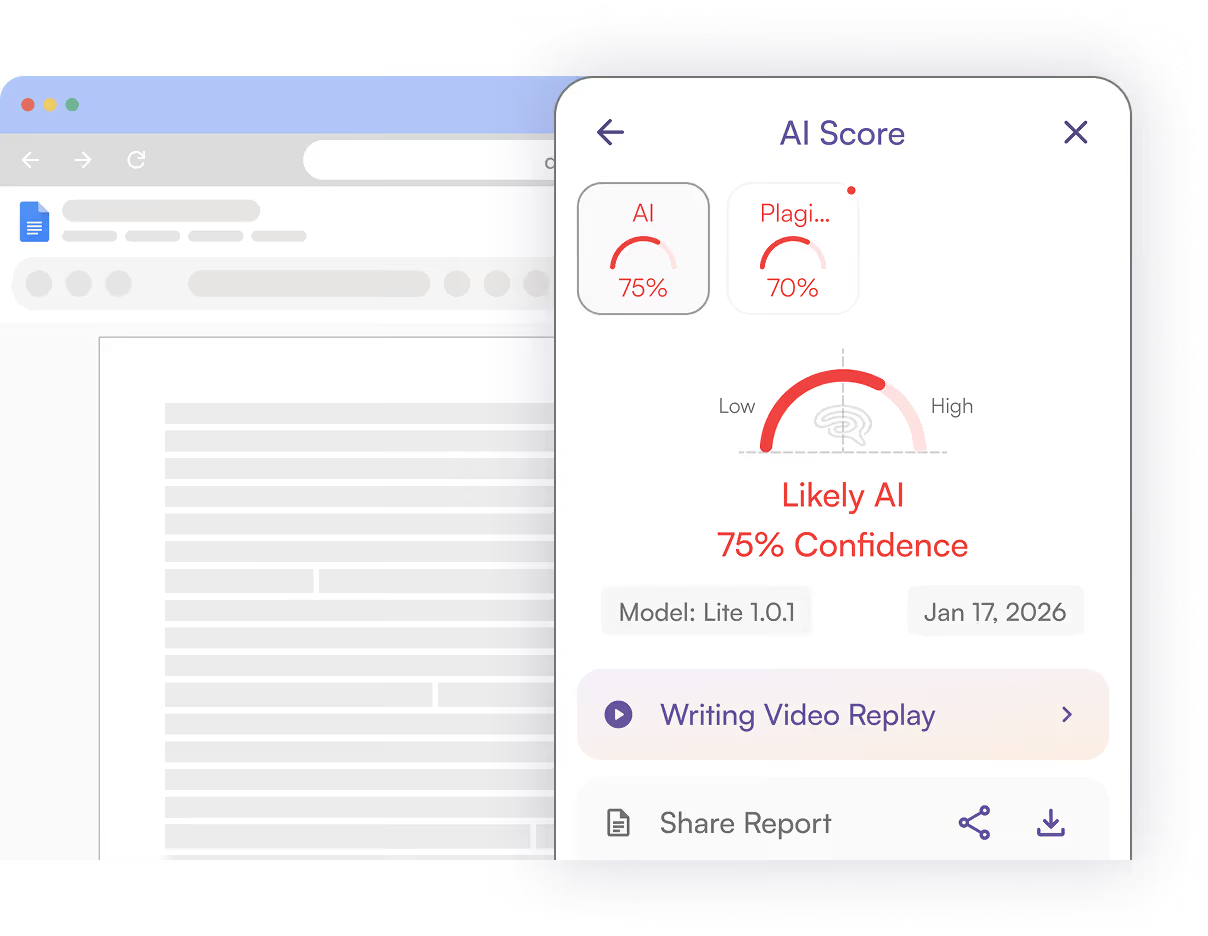

Say Goodbye to False Positives
Prove writing is yours with Originality.ai in Google Docs:

Originality.ai for Chrome, Google Docs & Firefox: Features

Our patented suite of tools supports writers, editors, marketers, students, and teachers.
AI & Plagiarism Scans
Choose how much AI you allow with AI Allowance and scan for plagiarism at the same time.
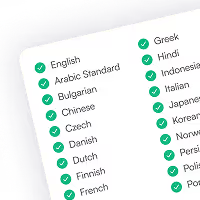
Multilingual AI Detection
Scan for AI text in 30 languages + auto-select the best non-English model. Publish with confidence for global audiences.
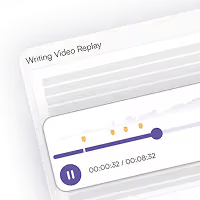
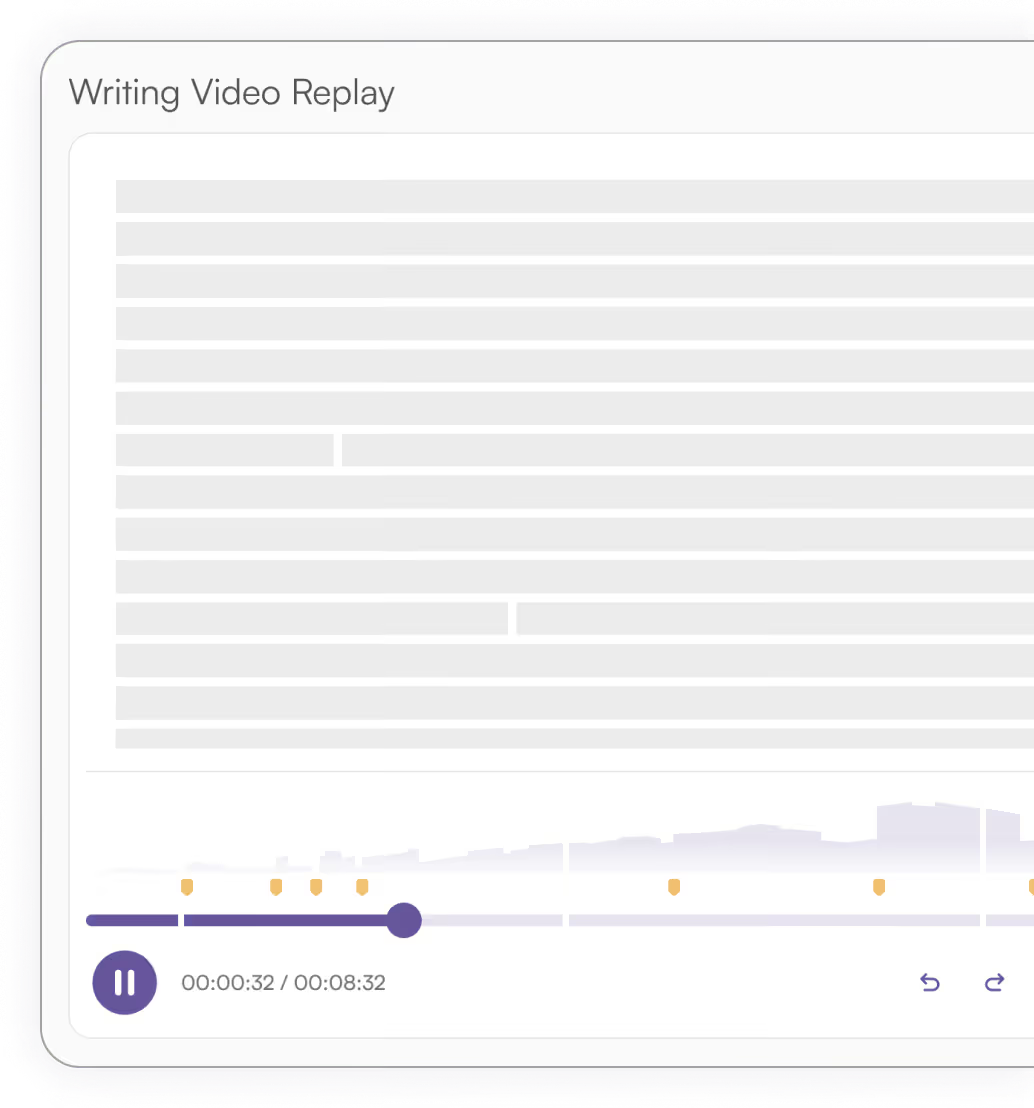
Watch a Writer Write
Watch a replay of writing and editing to see how a Google Doc was created (and detect probable auto-typers).
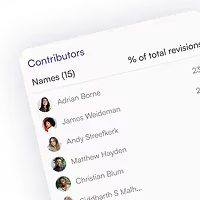
View Contributors
Who wrote or edited which section? Now you can clearly see contributors.

Team Member Access
Get access to Originality.ai for Chrome or Firefox via your school or organization.

Shareable Reports
Keep everyone looped in with shareable read-only reports for AI and plagiarism scans.


Writers, Editors & Marketers

Students & Teachers

Schools & Enterprise


Jennifer Korn
How companies are embracing generative AI for employees…or not
Many prominent companies have entirely blocked internal ChatGPT use, including JPMorgan Chase, Northrup Grumman, Apple, Verizon, Spotify and Accenture, according to AI content detector Originality.AI, with several citing privacy and security concerns.

Ben Schreckinger
AI vs. public opinion
Originality.ai, a site that provides detection services for AI-generated content and plagiarism, published a convenient tracker that lists the 10 pending lawsuits against OpenAI and ChatGPT.

Betsy Reed
Mushroom pickers urged to avoid foraging books on Amazon that appear to be written by AI
Four samples from the books were examined for the Guardian by Originality.ai, a US firm that detects AI content.

Steven Lee Myers & Tiffany Hsu
Another Side of the A.I. Boom: Detecting What A.I. Makes
More than a dozen companies have popped up to offer services aimed at identifying whether photos, text and videos are made by humans or machines.

Generative AI: hype not hyperintelligence is lifting values
Generative artificial intelligence could produce magic in the sky, says Sam Altman founder of pioneering start-up OpenAI. Successful entrepreneurs are entitled to make visionary statements.

Sara Fischer
Major websites are blocking AI crawlers from accessing their content
Nearly 20% of the top 1000 websites in the world are blocking crawler bots that gather web data for AI services, according to new data from Originality.AI, an AI content detector.

Andrea Taloni, Vincenzo Scorcia, and Giuseppe Giannaccare
Modern threats in academia: evaluating plagiarism and artificial intelligence detection scores of ChatGPT
Plagiarism and research integrity are sensitive issues in the academic setting, especially after the recent offspring of artificial intelligence (AI) and large language models (LLMs) such as GPT-4.0 [1].

Sara Guaglione
Why publishers are questioning the effectiveness of blocking AI web crawlers
A number of publishers — including Bloomberg and The New York Times — were quick to block OpenAI’s web crawler from accessing their sites, to protect their content from getting scraped and used to feed the artificial intelligence tech company’s large language models (LLMs).

Are Originality.ai extensions accurate?

Yes, Originality.ai for Chrome, Google Docs, and Firefox integrates the patented, industry-leading Originality.ai AI detector and plagiarism checker. This brings proven accuracy from internal AI detection studies and plagiarism studies, as well as independent studies.
How does the Originality.ai Chrome Extension prevent false positives?
Originality.ai has low false positive rates. The extension helps to prevent false positives in AI detection with ‘Watch a Writer Write’ by showing the writing process character-by-character for a playback of doc creation. Plus, see whether a human or an auto-typing tool wrote it.
Can you see who wrote a Google Doc?
Yes! Originality.ai for Chrome shows who contributed to a Google Doc (and how much they contributed). Transparently see everyone’s contributions to school projects, collaborative articles, or marketing materials.
Are the Originality.ai browser extensions free?
You can use Originality.ai for Chrome, Google Docs, and Firefox for free. To learn more about the premium features within the Chrome Extension, visit our pricing page.
Where can you download the Originality.ai browser extensions?
Easily download the Originality.ai Chrome and Google Docs extension from the Chrome Web Store, or download Originality.ai for Firefox here. Login or sign up to access premium features.
Does Originality.ai detect auto-typing?
See if a Google Doc was likely created by an auto-typing tool (bot) or naturally written by a human with Originality.ai for Chrome and Firefox.
Can I run multilingual scans with the extensions?
Accurately detect AI text in 30 languages with the Originality.ai multilingual AI detection model available in Originality.ai for Chrome, Google Docs, and Firefox. Plus, auto-select the best non-English model.
How do I share my scan results?
Originality.ai offers a convenient, shareable read-only report that you can use to share AI and plagiarism scan results with teachers, students, writers, and editors.
Are my scans from the browser extensions saved in the web app?
After running a scan (Chrome, Google Docs, or Firefox), navigate to the web app to view your scans. Scans are tagged, making it easy to find them and stay organized.

AI & Plagiarism Detector for Serious Content Publishers
Originality.ai
64 Hurontario St
Collingwood, Ontario
L9Y 2L6