AI Checker
Plagiarism Checker
Grammar Checker
Content Quality
Guideline Checker
Readability Checker
Fact & AI Hallucination Checker

Extensions
Use this free interactive demonstration to see how Google DeepMind’s published SynthID-Text method samples candidate tokens, applies context-specific key values, and builds a detectable statistical pattern across a passage. The tool is an educational simplification with illustrative values and thresholds. It does not generate text with Gemini or Claude and does not run Google’s or Anthropic’s detector.
At Originality.ai, we are an industry leader in AI detection and offer the most accurate AI detector for text generated by the latest LLMs.
However, AI doesn’t just generate text; it can generate or alter images too.
Now you can use our free Deepfake Detector to maintain transparency about whether an image is authentic or a possible deepfake.
Upload Your Image or Click to Upload
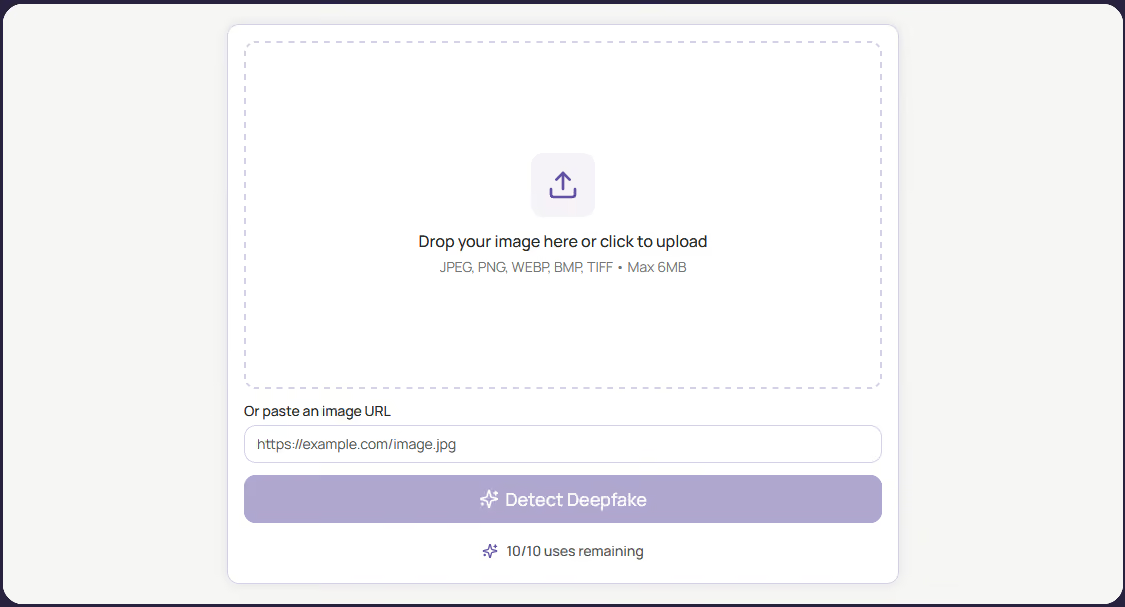
Add your image to the tool. It supports JPEG, PNG, WEBP, BMP, and TIFF files with a maximum upload size of 6MB. You can either drop the image, click to upload the image, or input a URL of the image.
Run the Deepfake Detection Scan
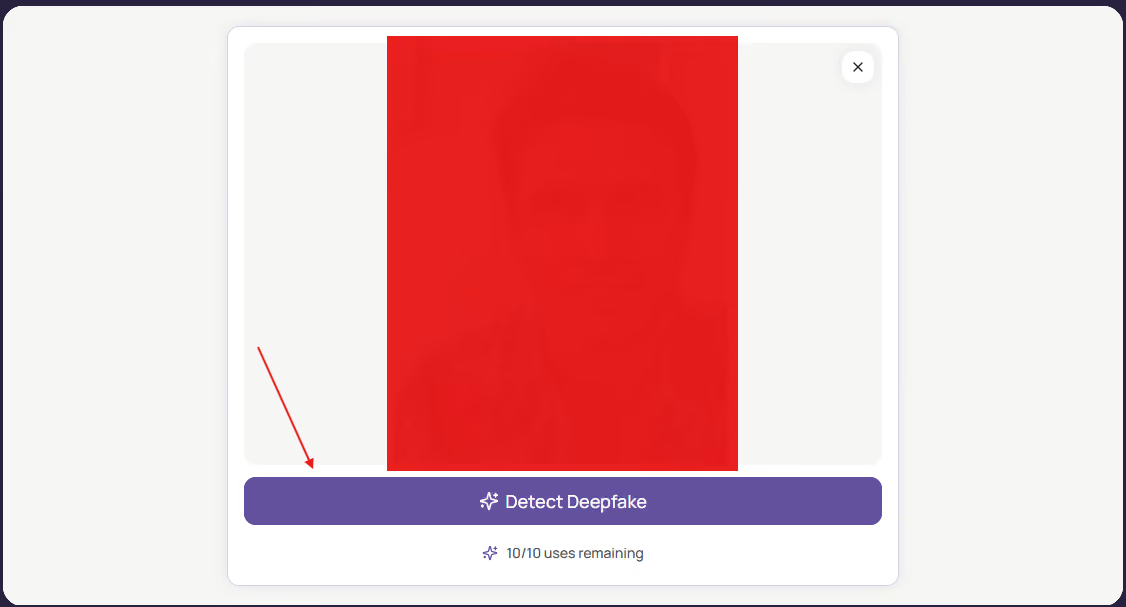
After uploading your image, click "Detect Deepfake".
Review Your Results
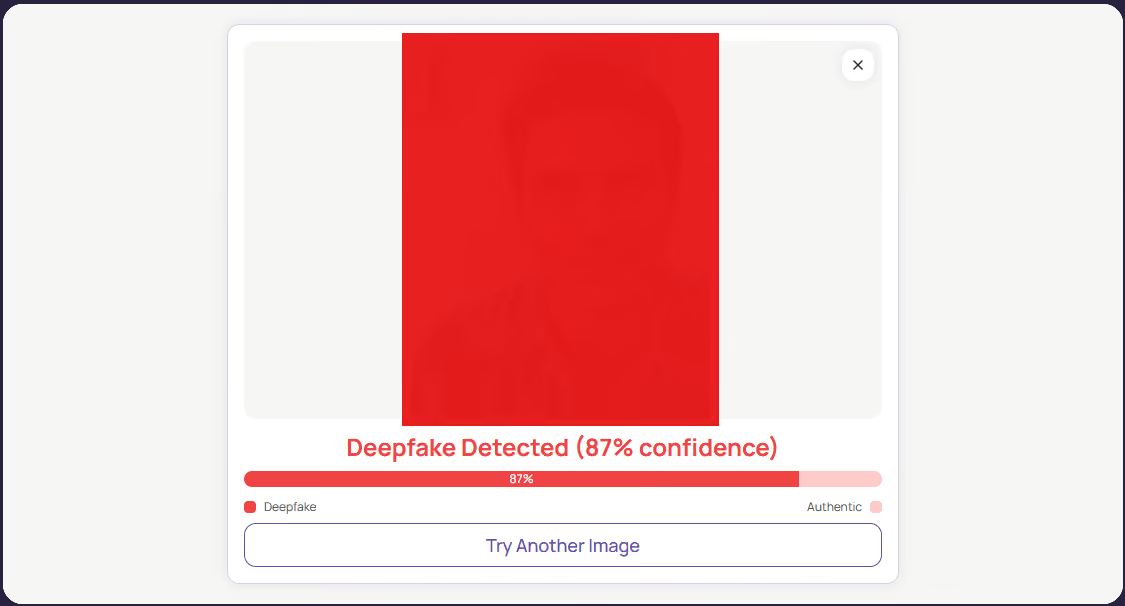
Check the results to see if that image is authentic or a possible deepfake.
In a time when edited media can be generated in seconds, maintaining visual integrity is critical. It is a necessity for anyone publishing content online, from journalists to content marketers.
The rapid rise of hyper-realistic AI image generators means that misleading, altered, or entirely fabricated visuals can spread across the internet before anyone thinks to question them.
For businesses and publishers, accidentally sharing a deepfake can permanently damage audience trust and brand authority. By actively verifying the media you interact with, you help to protect your platform from misinformation, ensure compliance with evolving digital standards, and give your audience the confidence that what they are seeing is genuine.
Deepfakes are becoming increasingly commonplace. With the right hardware, people can quickly generate deepfake images with software.
The malicious and negative potential of Deepfakes is self-evident. Deepfakes can spread misinformation and false information rapidly.
So, to help users maintain transparency, we built our new free Deepfake Detector. By using our Free Deepfake Detector, you can quickly discern the authenticity of an image.
Our Free Deepfake Detector is built to seamlessly integrate into your daily workflow, giving you a powerful first check against synthetic media without adding unnecessary friction.
Tools like the Originality.ai Free Deepfake Detector are designed to act as your visual transparency check to identify synthetic images.
As Deepfake software rapidly evolves, having a fast, accessible way to cross-examine suspicious media is a crucial step toward a more transparent digital ecosystem. Next time an image looks just a tad synthetic, take a few seconds to run a scan. It just might make the difference.
If you find this tool helpful, check out our other free tools, like our free AI Image Detector or our premium tools, like our AI Checker and Plagiarism Checker.
Is this tool free to use?

Yes! No login is required.
Are there limitations on this tool?
Yes, there's a limit of 10 scans per day.
What image files does it accept?
It accepts the following image files: JPEG, PNG, WEBP, BMP, TIFF.
Why does my image URL keep getting denied?
Make sure to double-check that the link is directly from the source website. Links taken directly from search engines will most likely not work.

Use our leading tools to ensure you can hit publish with integrity!
Sign Up ›Founder, CEO

Kityo Martin
ClickingPublish.com
At Clicking Publish, producing original, high-quality content is essential to our success. To maintain these standards, it's important that we verify the work from freelancers and outsourced writers. Originality.ai makes this process easy for us by providing a simple and efficient tool that ensures the content we receive meets our expectations.

AI & Plagiarism Detector for Serious Content Publishers
Originality.ai
64 Hurontario St
Collingwood, Ontario
L9Y 2L6





