AI Checker
Plagiarism Checker
Grammar Checker
Content Quality
Guideline Checker
Readability Checker
Fact & AI Hallucination Checker

Extensions
MCP
An intelligent and easy-to-use online tool that allows you to chat directly with PDF documents. The Chat with PDF Tool uses advanced AI to read, analyze, and summarize your uploaded PDFs, letting you ask questions, extract insights, and get instant answers — all without manually searching through pages.
Use this free interactive demonstration to see how Google DeepMind’s published SynthID-Text method samples candidate tokens, applies context-specific key values, and builds a detectable statistical pattern across a passage. The tool is an educational simplification with illustrative values and thresholds. It does not generate text with Gemini or Claude and does not run Google’s or Anthropic’s detector.
An intelligent and easy-to-use online tool that allows you to chat directly with PDF documents. The Chat with PDF Tool uses advanced AI to read, analyze, and summarize your uploaded PDFs, letting you ask questions, extract insights, and get instant answers — all without manually searching through pages.
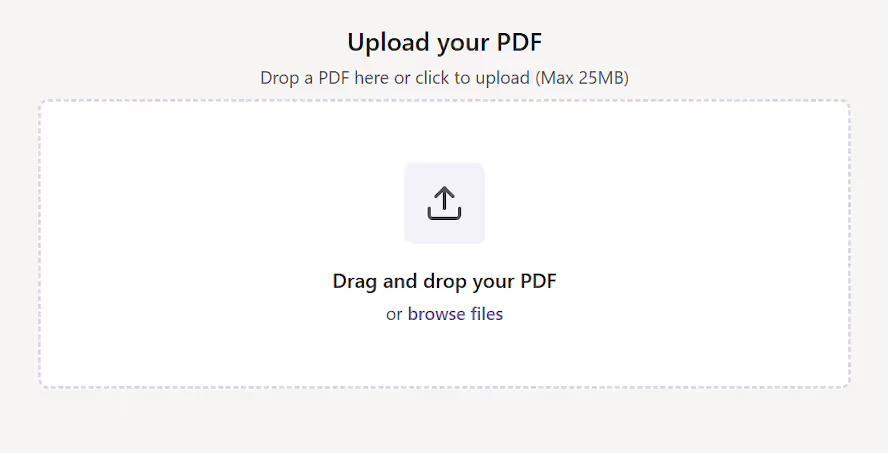
Upload Your PDF
Upload Your PDF - Click the upload area or drag and drop a PDF file. The tool supports PDFs up to 20MB and processes documents.
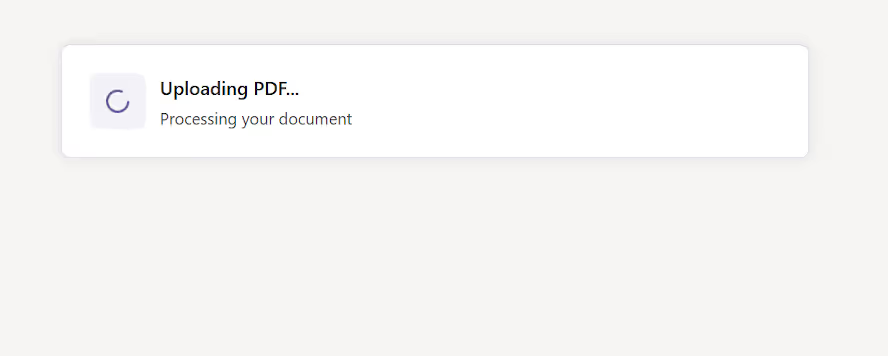
Wait for the File to Load
Wait for the File to Load - Once uploaded, the tool quickly scans your document and prepares it for interaction. You’ll see a confirmation message once the file is ready.
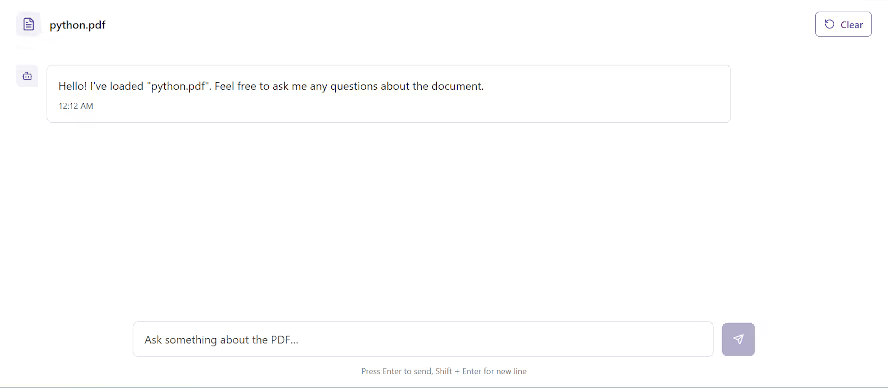
Ask a Question
Ask a Question - Type any question about the document in the chat box
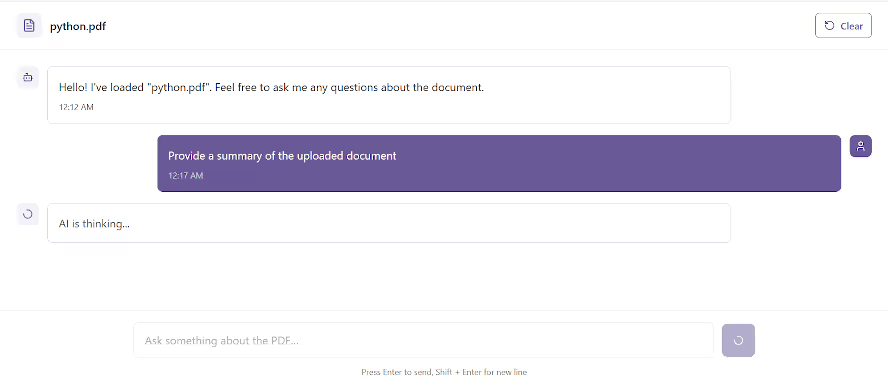
Get Instant Answers
Get Instant Answers - The AI instantly analyzes your query and returns an accurate, context-aware response based on the PDF content.
Continue the Conversation or Upload a New File
Continue the Conversation or Upload a New File - You can keep asking follow-up questions about the same PDF or upload a new document by clicking Start New Chat.
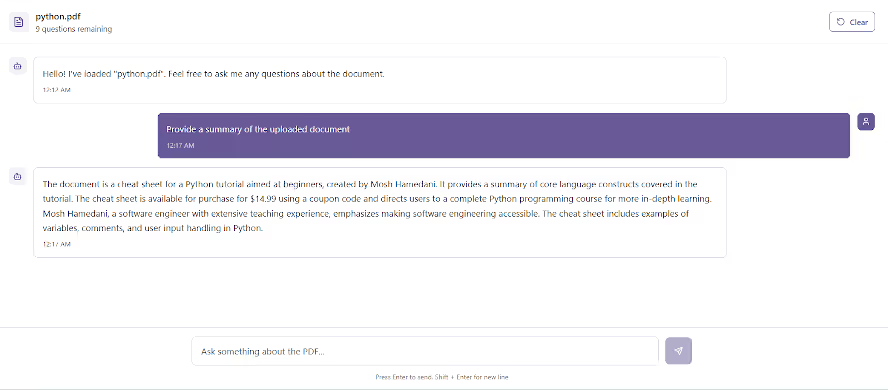
Reading long documents or reports can be time-consuming and inefficient. The Chat with PDF Tool helps you quickly extract insights, understand complex sections, and find relevant information within seconds — no need to scroll or search manually.
It’s ideal for students, researchers, professionals, and anyone who frequently works with large documents or technical papers.
The Chat with PDF Tool leverages advanced language models to understand context, structure, and meaning within your document. It allows users to interact with the content conversationally, just like chatting with a subject expert.
Whether you need summaries, keyword explanations, or section insights — the tool delivers precise responses instantly.
This tool is highly useful for:
The Chat with PDF Tool lets you interact with any PDF as if it were a human assistant. Ask questions, request summaries, or extract information — and get instant, accurate answers in seconds.
It uses AI to analyze your uploaded PDF, understand its content, and respond conversationally.
You can ask anything — from “Summarize this report” to “What are the main findings?” — and the tool delivers concise, contextually correct answers.
The Chat with PDF Tool transforms how you interact with documents. Instead of spending hours scanning pages, simply upload your PDF, ask questions, and let AI extract the information for you. Whether for research, study, or work, this tool saves time and enhances productivity — all in one simple chat interface.
What is the Chat with PDF Tool?

It’s an AI-powered tool that allows users to upload PDF files and ask questions directly about their contents.esize images by adjusting dimensions, format, and quality instantly.
How does it work?
The tool uses AI to understand the text within your PDF and generate accurate, conversational answers to your queries.
Do I need to sign up?
No, it’s completely free and doesn’t require registration.
Is there a size limit?
Yes, PDFs up to 20MB are supported.
Can I upload multiple PDFs?
Currently, one PDF can be analyzed per chat session.
Is it free to use??
Yes, it’s 100% free with a daily limit
Who can benefit from it?

AI & Plagiarism Detector for Serious Content Publishers
Originality.ai
64 Hurontario St
Collingwood, Ontario
L9Y 2L6





