AI Checker
Plagiarism Checker
Grammar Checker
Content Quality
Guideline Checker
Readability Checker
Fact & AI Hallucination Checker

Extensions
MCP
The Video Script Generator Tool is an AI-powered tool that helps you create clear, engaging, and well-structured video scripts based on your video’s purpose, target audience, and key talking points. It is designed to produce scripts that are easy to follow, audience-focused, and ready to record.
Use this free interactive demonstration to see how Google DeepMind’s published SynthID-Text method samples candidate tokens, applies context-specific key values, and builds a detectable statistical pattern across a passage. The tool is an educational simplification with illustrative values and thresholds. It does not generate text with Gemini or Claude and does not run Google’s or Anthropic’s detector.
The Video Script Generator Tool is an AI-powered tool that helps you create clear, engaging, and well-structured video scripts based on your video’s purpose, target audience, and key talking points. It is designed to produce scripts that are easy to follow, audience-focused, and ready to record.
Select Video Purpose
Select Video Purpose - Choose the main goal of your video, such as education, promotion, explanation, or storytelling.
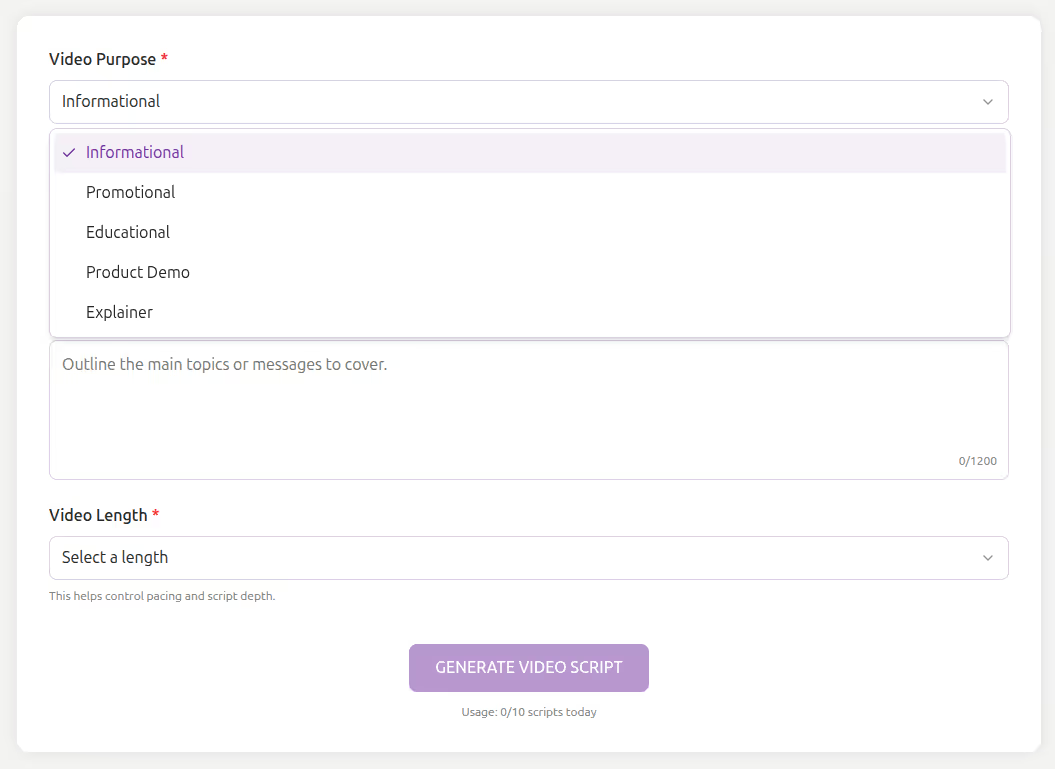
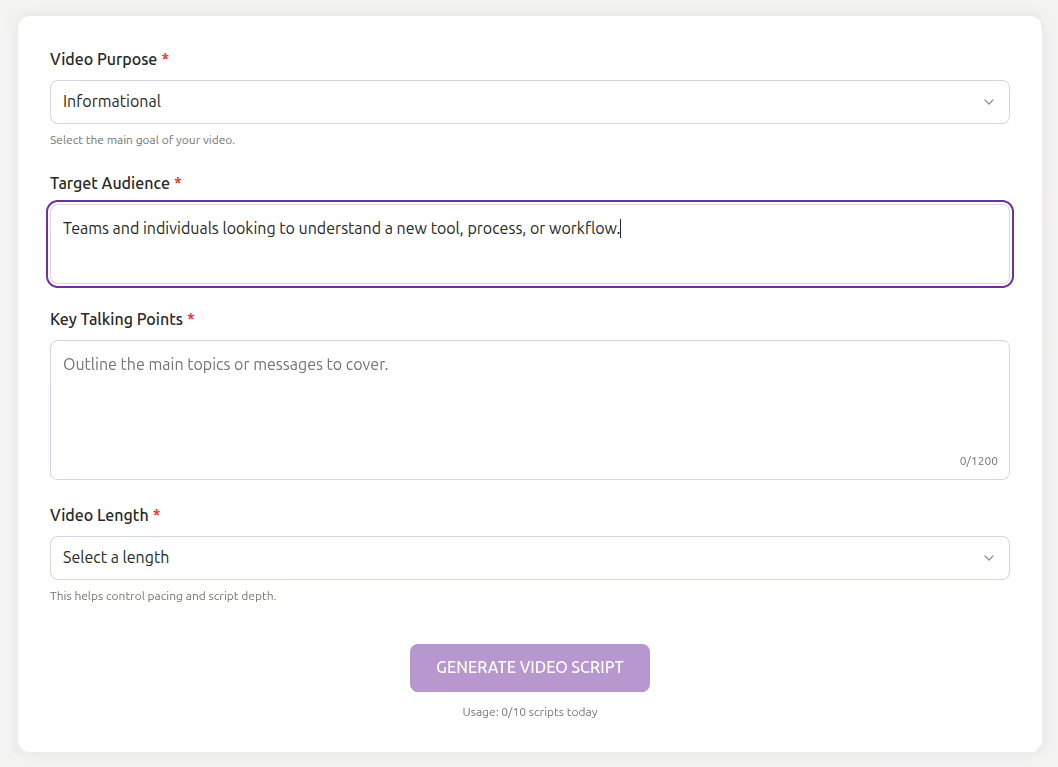
Describe Target Audience
Describe Target Audience - Define who the video is for and what they care about to ensure the script speaks directly to them.
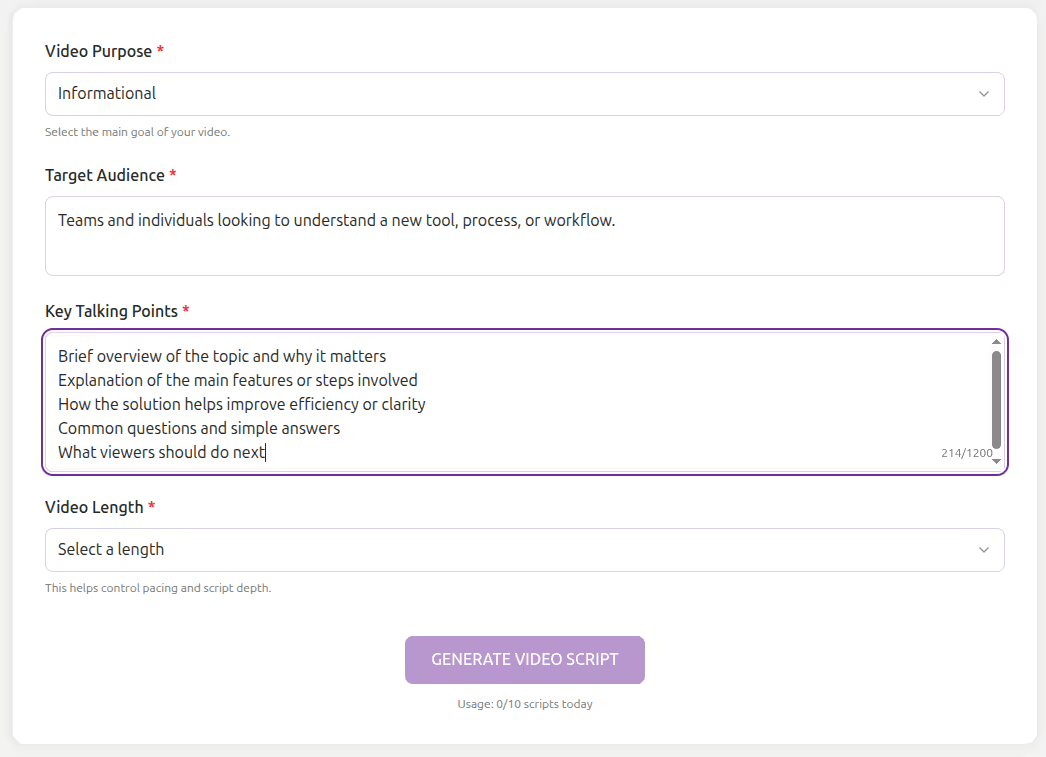
Add Key Talking Points
Add Key Talking Points - Outline the main topics or messages the video should cover.
Select Video Length
Select Video Length - Choose the desired length to control pacing and script depth.
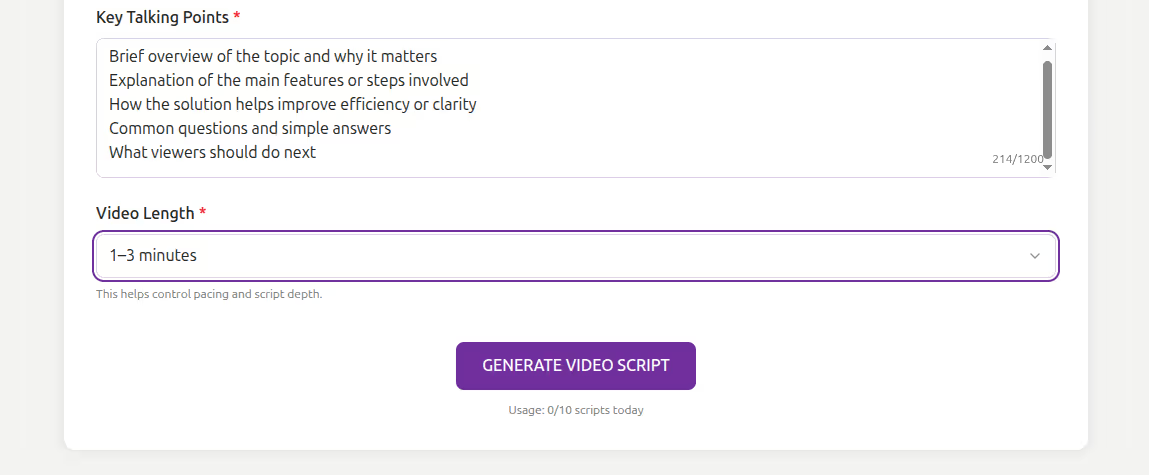
Generate Video Script
Generate Video Script - Press Generate Video Script to create a structured script tailored to your inputs.
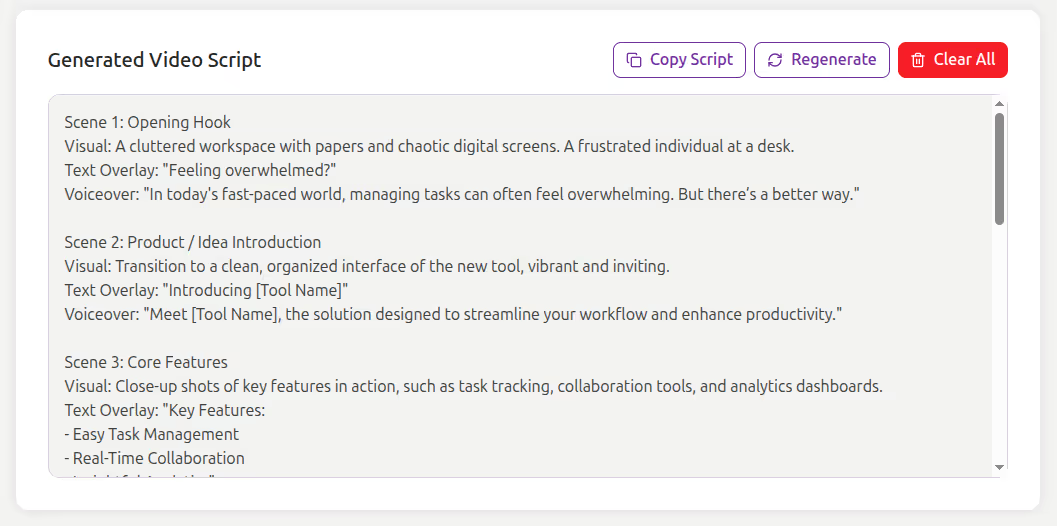
Writing an effective video script requires clarity, structure, and audience awareness. Without a clear script, videos can feel unfocused or hard to follow.
The Video Script Generator Tool helps you:
The Video Script Generator Tool is built for creators, marketers, educators, and businesses who need reliable video scripts quickly. It focuses on clarity, structure, and engagement, helping you communicate your message effectively on camera.
This tool is ideal for:
Struggling to structure your video ideas? The Video Script Generator helps you turn key points into clear, engaging scripts in minutes.
This tool converts your video purpose, audience details, and talking points into a structured, easy-to-follow script. It ensures your message stays focused while maintaining a natural flow from introduction to conclusion.
The Video Script Generator Tool helps you transform video ideas into clear, engaging, and structured scripts with minimal effort. Instead of starting from a blank page, you can rely on AI to guide your message and maintain flow.
Whether you are creating content for YouTube, marketing campaigns, training sessions, or social media, this tool ensures your videos are focused, audience-aware, and ready to produce.
What is the Video Script Generator Tool?

It is an AI-powered tool that generates video scripts based on purpose, audience, talking points, and length.
Can I control the tone of the script?
Yes, the selected video purpose and audience help shape the tone and style.
Does the tool work for short and long videos?
Yes, you can choose different video lengths to adjust pacing and depth.
Is it free to use?
Yes, the tool is completely free with daily action limits (e.g., 10 limits per day).
Do I need to sign up?
No registration is required. The tool is free and browser-based.
Does it work on mobile?
Absolutely. The design is fully responsive and mobile-friendly.
Who can benefit from it?

AI & Plagiarism Detector for Serious Content Publishers
Originality.ai
64 Hurontario St
Collingwood, Ontario
L9Y 2L6





