AI Checker
Plagiarism Checker
Grammar Checker
Content Quality
Guideline Checker
Readability Checker
Fact & AI Hallucination Checker

Extensions
Scheduling while in school can be a challenge. You have to think about in-class time, extracurricular activities, and rest. Between all that, it can be difficult to judge how much time you need to study and what to study in a given week. That is where our Study Schedule Generator comes in!
Use this free interactive demonstration to see how Google DeepMind’s published SynthID-Text method samples candidate tokens, applies context-specific key values, and builds a detectable statistical pattern across a passage. The tool is an educational simplification with illustrative values and thresholds. It does not generate text with Gemini or Claude and does not run Google’s or Anthropic’s detector.
Scheduling while in school can be a challenge. You have to think about in-class time, extracurricular activities, and rest. Between all that, it can be difficult to judge how much time you need to study and what to study in a given week. That is where our Study Schedule Generator comes in!
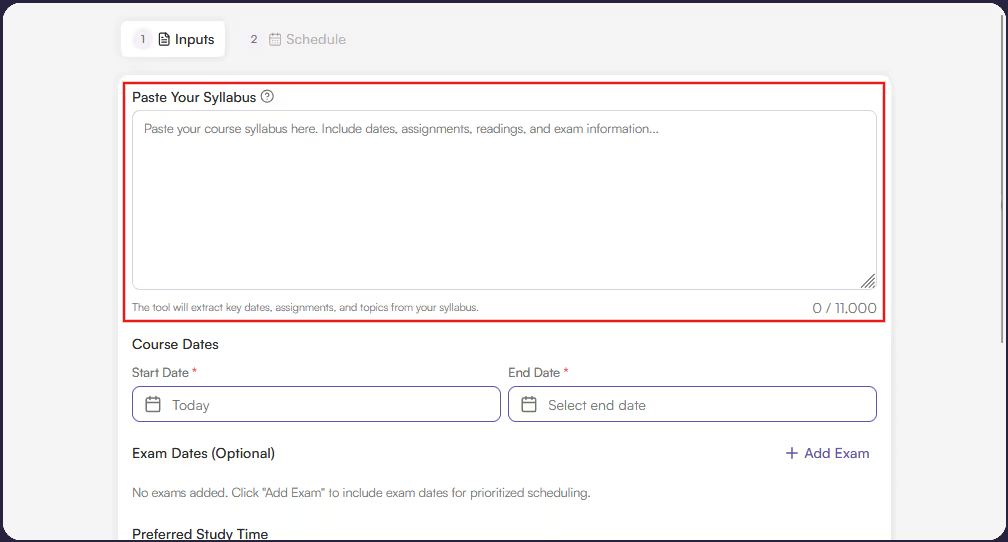
Add your Syllabus
Add your Syllabus: Paste in your course syllabus. You are limited to 11,000 characters, so try to only add study-relevant sections like course topics.
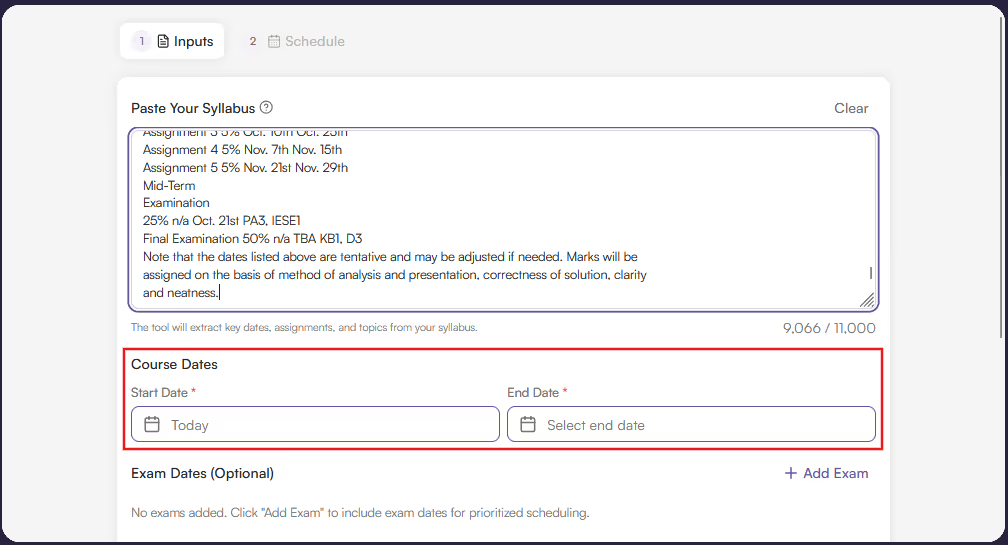
Set Course Start/End Dates
Set Course Start/End Dates: Add in the course start and end dates.
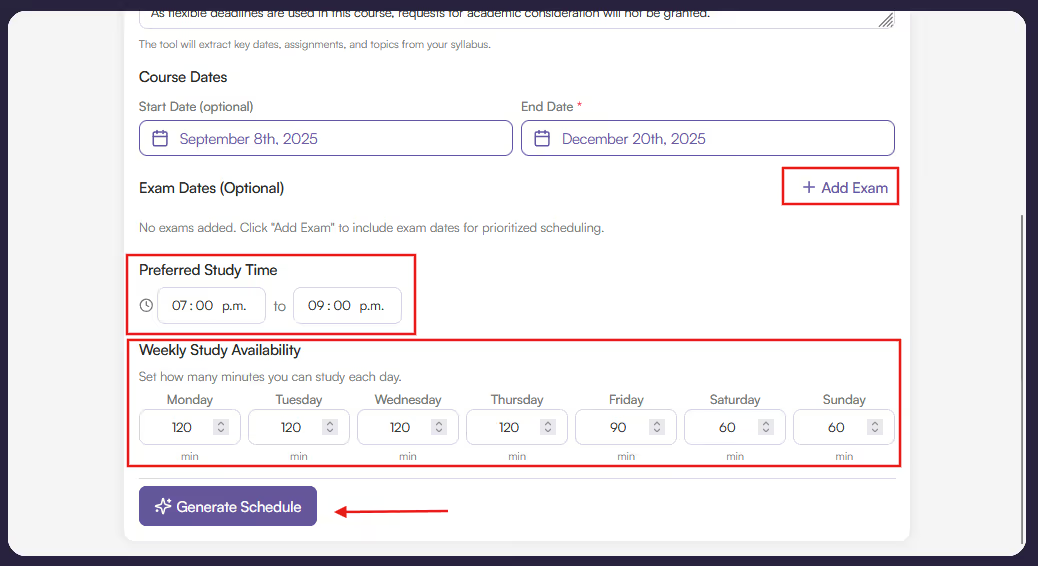
Set Final Preferences
Set Final Preferences: Add optional exam dates, preferred study time, and weekly study availability. Then hit ‘Generate Schedule.’
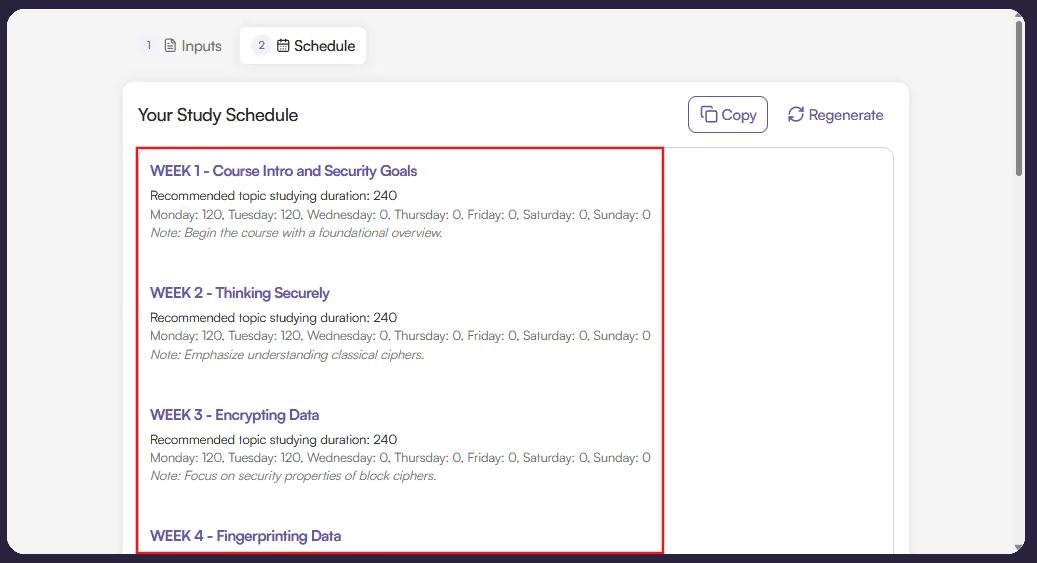
Read Schedule
Read Schedule: Once your study schedule is generated, read through to see the recommended plan.
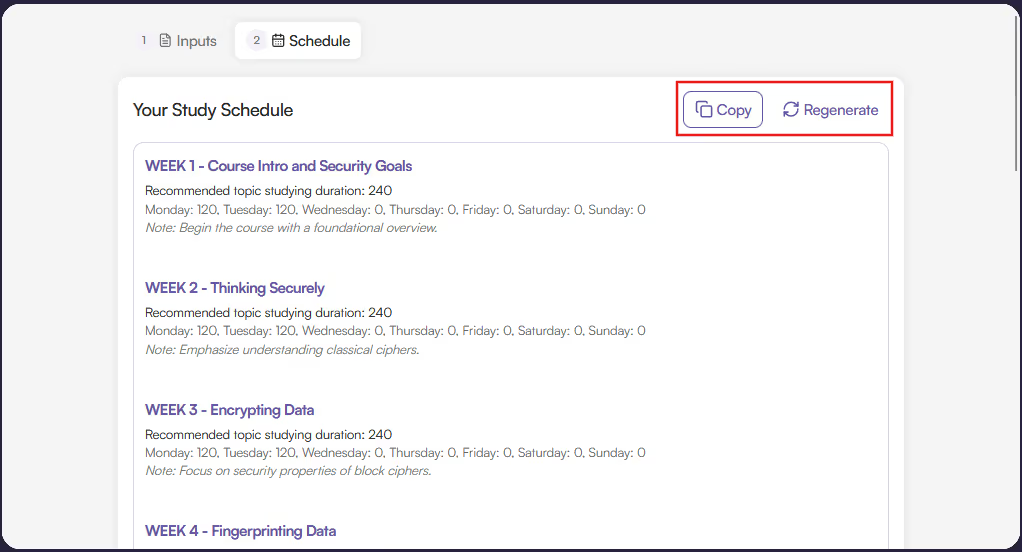
Copy or Regenerate
Copy or Regenerate: You can regenerate the plan if you’d like to try again, or copy the plan to your clipboard to save for later referencing.
There are very few options to help guide students through the studying process. Our tool is great because it's:
Consistent studying throughout a course instead of last-minute studying prior to an examination is notably better for knowledge retention and comprehension.
However, time management can be challenging, and you might also be unsure about how much time to dedicate to a given course.
Originality.ai’s Study Schedule Generator helps take the guesswork out of this process.
With it, you can be more studious.
The Study Schedule Generator works by first accepting several important course details.
You’ll add your syllabus as well as your course start and end dates. If your syllabus hits the character limit, try removing details unrelated to study scheduling.
Next, you'll optionally add your exam dates, as well as preferred study time and weekly study availability.
Then you’ll hit ‘Generate Schedule’ where your information, along with a custom prompt, will be sent to a GPT-4o-mini model.
What will be returned is a personalized study plan designed for you.
Studying is an incredibly important part of learning. Whether you’re a student in school or self-learning through an online course, it is paramount to manage your time efficiently. Originality.ai’s Study Schedule Generator can help you do this.
If you found this helpful, check out our other industry-leading tools, like our AI Checker and Plagiarism Checker.
Q: Is this tool free to use?

A: Yes! There are, however, usage limits in order to keep it free.
Q: What limits does the tool have?
A: The syllabus must be limited to 11,000 characters and 10 generations per day.
Q: What AI model does this tool use?
A: GPT-4o-mini.

AI & Plagiarism Detector for Serious Content Publishers
Originality.ai
64 Hurontario St
Collingwood, Ontario
L9Y 2L6





