AI Checker
Plagiarism Checker
Grammar Checker
Content Quality
Guideline Checker
Readability Checker
Fact & AI Hallucination Checker

Extensions
MCP
A fast and intelligent online tool that detects passive voice in your sentences and highlights them instantly. The Passive Voice Checker Tool helps writers, students, and professionals identify whether a sentence is written in active or passive voice, improving writing clarity and engagement. Simple, accurate, and free — just paste your text and click Check.
Use this free interactive demonstration to see how Google DeepMind’s published SynthID-Text method samples candidate tokens, applies context-specific key values, and builds a detectable statistical pattern across a passage. The tool is an educational simplification with illustrative values and thresholds. It does not generate text with Gemini or Claude and does not run Google’s or Anthropic’s detector.
A fast and intelligent online tool that detects passive voice in your sentences and highlights them instantly. The Passive Voice Checker Tool helps writers, students, and professionals identify whether a sentence is written in active or passive voice, improving writing clarity and engagement. Simple, accurate, and free — just paste your text and click Check.
Enter Your Text
Enter Your Text - Type or paste your sentences into the input box.
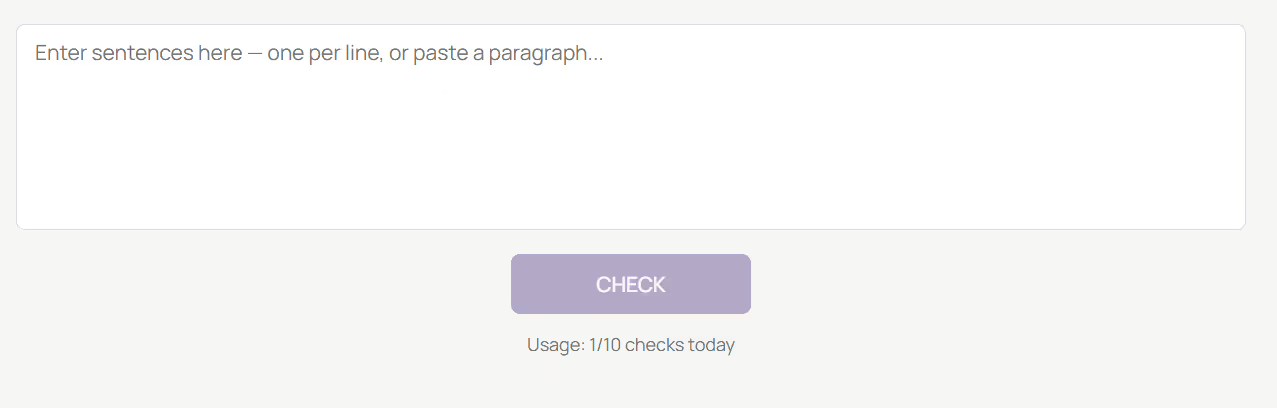
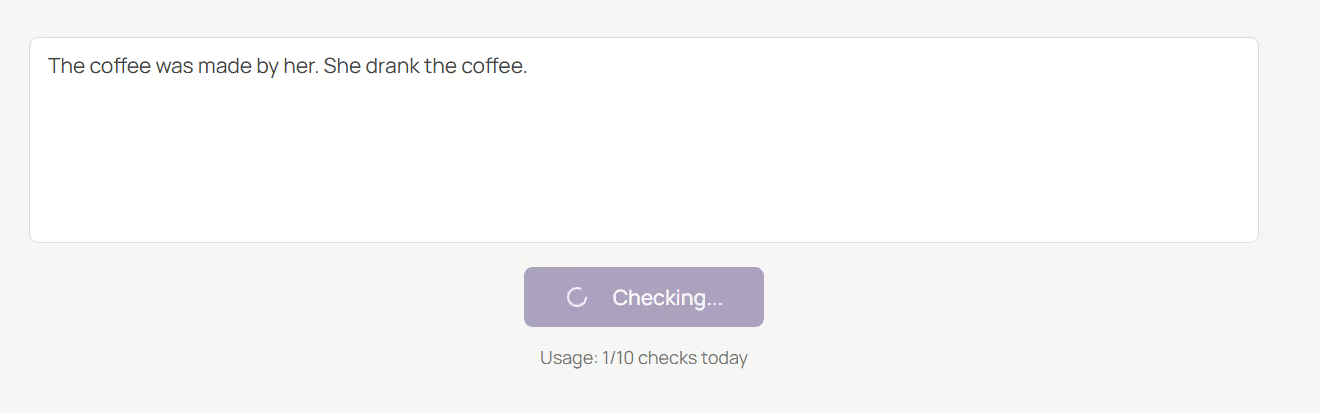
Click CHECK
Click CHECK - Press the CHECK button to start the analysis. The tool will automatically scan each sentence and determine whether it is written in active or passive voice.
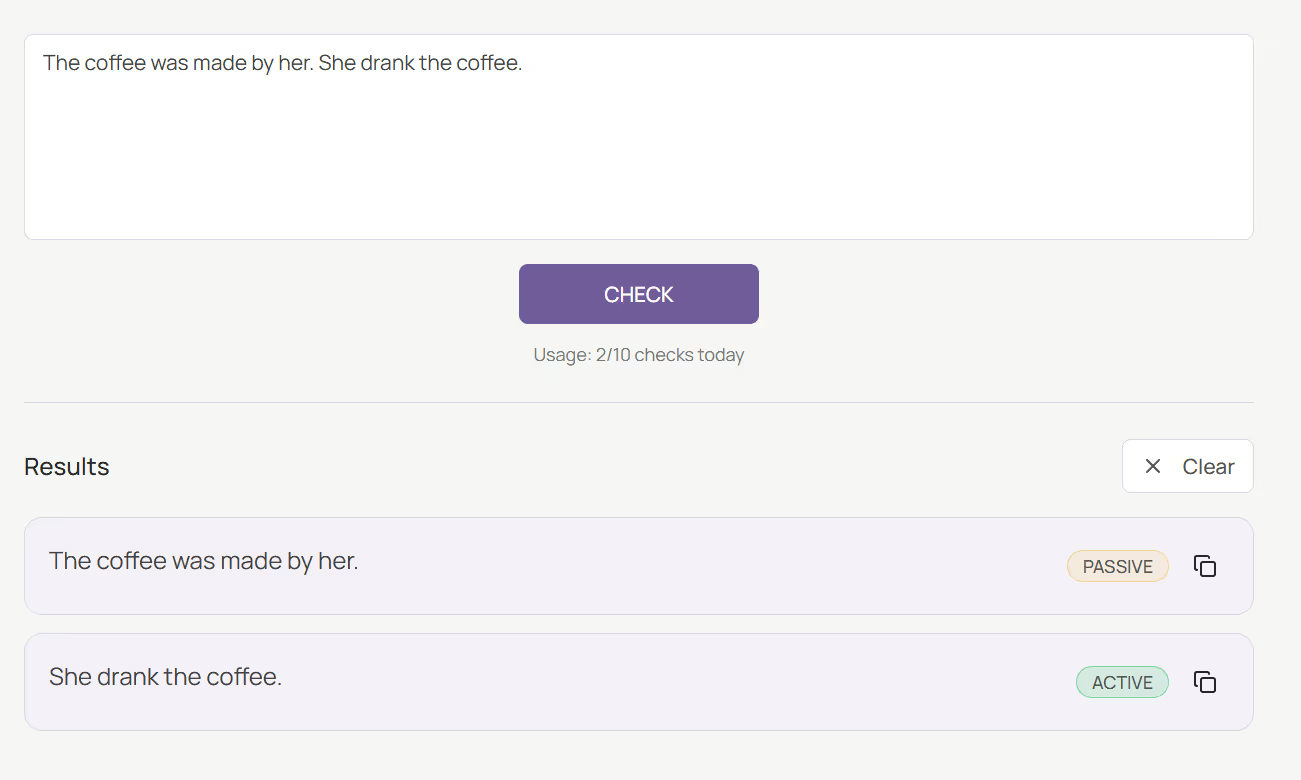
View Results
View Results - See each sentence labeled as Active or Passive instantly after analysis, helping you spot voice usage at a glance.
Review Sentences
Review Sentences - Use the results to identify where passive voice occurs and rewrite sentences in active voice if needed for better clarity.
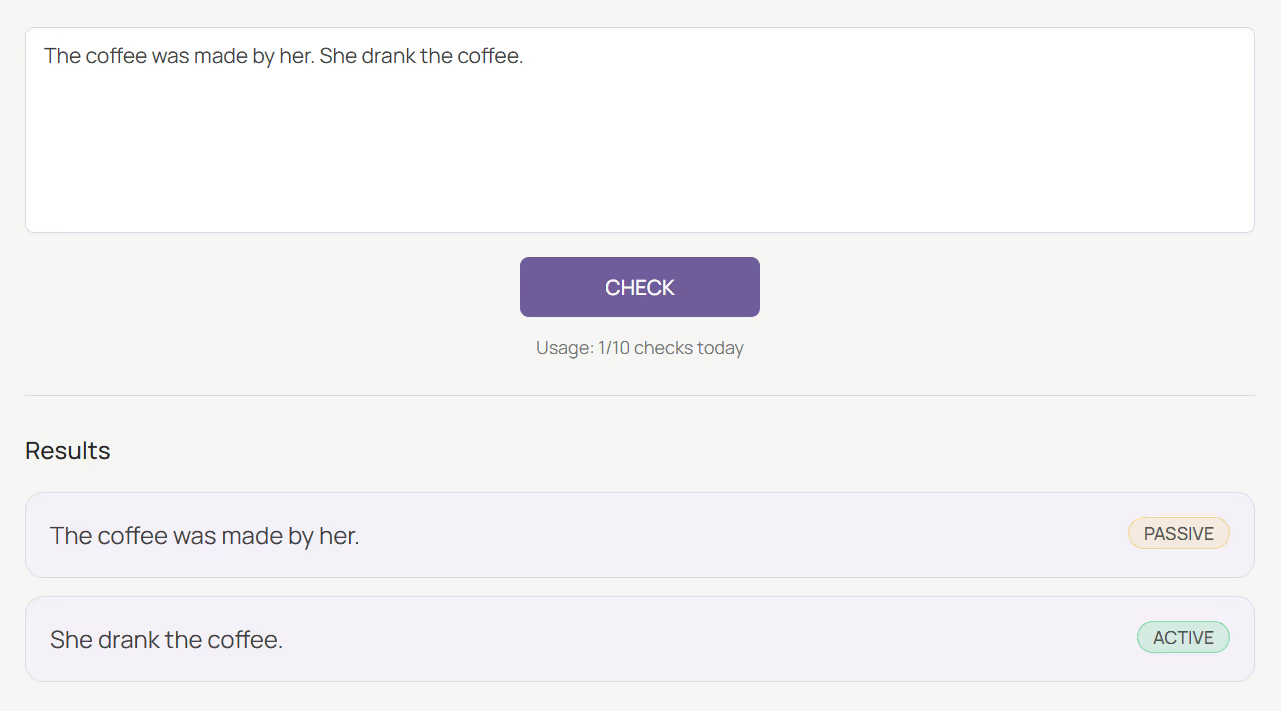
Start a New Check
Start a New Check - Click Clear to remove the results and enter new text for passive voice check.

Writing in passive voice can make sentences sound less direct and harder to read. For example,
Manually identifying passive constructions can be tedious — especially in long articles, essays, or reports.
The Passive Voice Checker Tool solves this by instantly analyzing text and marking which sentences use passive or active voice, helping you improve clarity and conciseness.
The Passive Voice Checker Tool uses natural language processing (NLP) to analyze sentence structure, detect verb forms, and identify “be + past participle” patterns — common indicators of passive voice.
It’s lightweight, accurate, and easy to use. Whether you’re editing academic writing, blog posts, or business documents, this tool gives you precise feedback in seconds.
This tool is highly valuable for:
The Passive Voice Checker helps you identify sentences written in passive voice and encourages clearer, more direct writing. Simply paste your text, click Check, and the tool highlights each sentence as Active or Passive.
The tool breaks down your text into individual sentences and analyzes verb patterns using linguistic rules. It then labels each sentence as Passive or Active, so you can spot unclear writing and improve it.
Example:
Input → “The coffee was made by her. She drank the coffee.”
Output →
You can copy, review, and rewrite sentences right from the results panel.
The Passive Voice Checker empowers you to write with confidence by spotting and reducing passive voice in your text. Whether you’re refining academic work, creating content, or editing professional documents, this free tool helps you achieve clarity and precision with one click
What is the Passive Voice Checker Tool?

It’s an online tool that detects whether each sentence is written in active or passive voice.
How do I use it?
Simply paste your text, click Check, and review the labeled results.
Does it highlight each sentence?
Yes. Each sentence is clearly marked as either Active or Passive with visual tags.
Is it free to use?
Yes, the tool is completely free with daily action limits (e.g., 10 actions per day).
Does it work on mobile?
Absolutely. The design is fully responsive and mobile-friendly.
Is my text stored or shared?
No. All text is processed securely in your browser and not stored on servers.
Who can benefit from it?

AI & Plagiarism Detector for Serious Content Publishers
Originality.ai
64 Hurontario St
Collingwood, Ontario
L9Y 2L6





