AI Checker
Plagiarism Checker
Grammar Checker
Content Quality
Guideline Checker
Readability Checker
Fact Checker

Extensions
The Lecture Summarizer Tool converts long lectures, meetings, voice recordings, or classroom audio into clean, concise summaries. Whether you upload an audio file or paste text, the tool extracts key points, removes unnecessary details, and produces an easy-to-read summary. Perfect for students, educators, and professionals who want fast, accurate lecture notes.
Use this free interactive demonstration to see how Google DeepMind’s published SynthID-Text method samples candidate tokens, applies context-specific key values, and builds a detectable statistical pattern across a passage. The tool is an educational simplification with illustrative values and thresholds. It does not generate text with Gemini or Claude and does not run Google’s or Anthropic’s detector.
The Lecture Summarizer Tool converts long lectures, meetings, voice recordings, or classroom audio into clean, concise summaries. Whether you upload an audio file or paste text, the tool extracts key points, removes unnecessary details, and produces an easy-to-read summary. Perfect for students, educators, and professionals who want fast, accurate lecture notes.
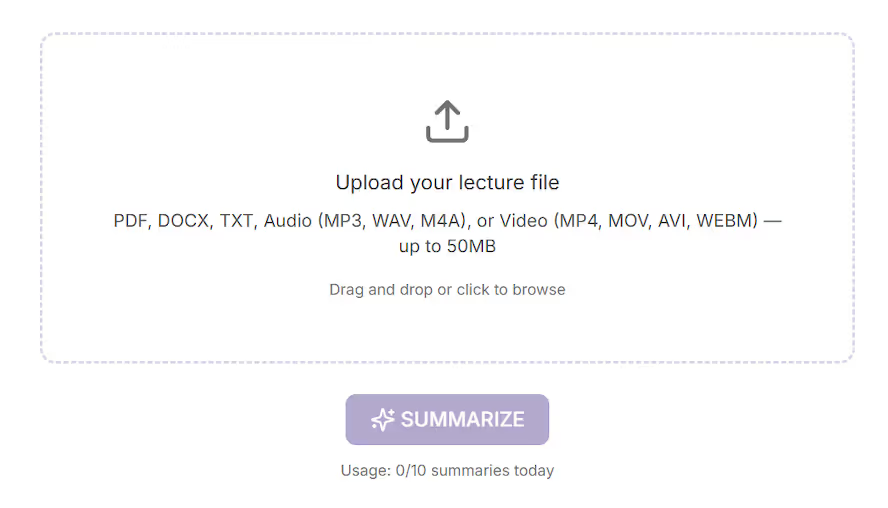
Upload Your Lecture File
Upload Your Lecture File - Click the upload box or drag and drop your file (PDF, DOCX, TXT, or MP4 — up to 50MB) into the tool.
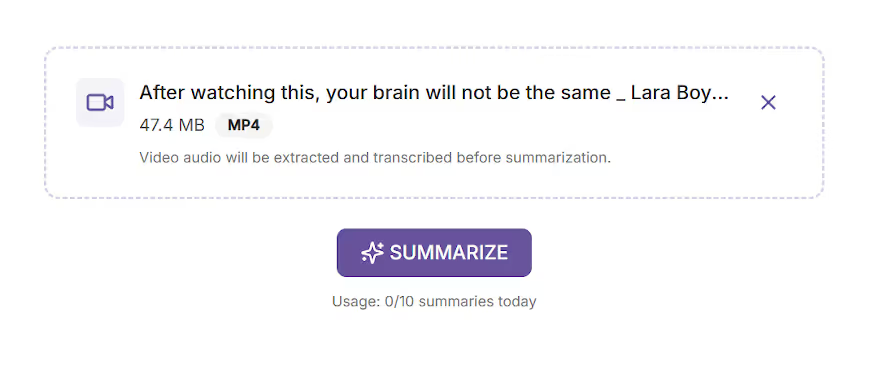
Review Your Uploaded File
Review Your Uploaded File - The file name, size, and type appear at the top, confirming it was uploaded successfully.
Click SUMMARIZE
Click SUMMARIZE - Press the SUMMARIZE button to generate your lecture summary.

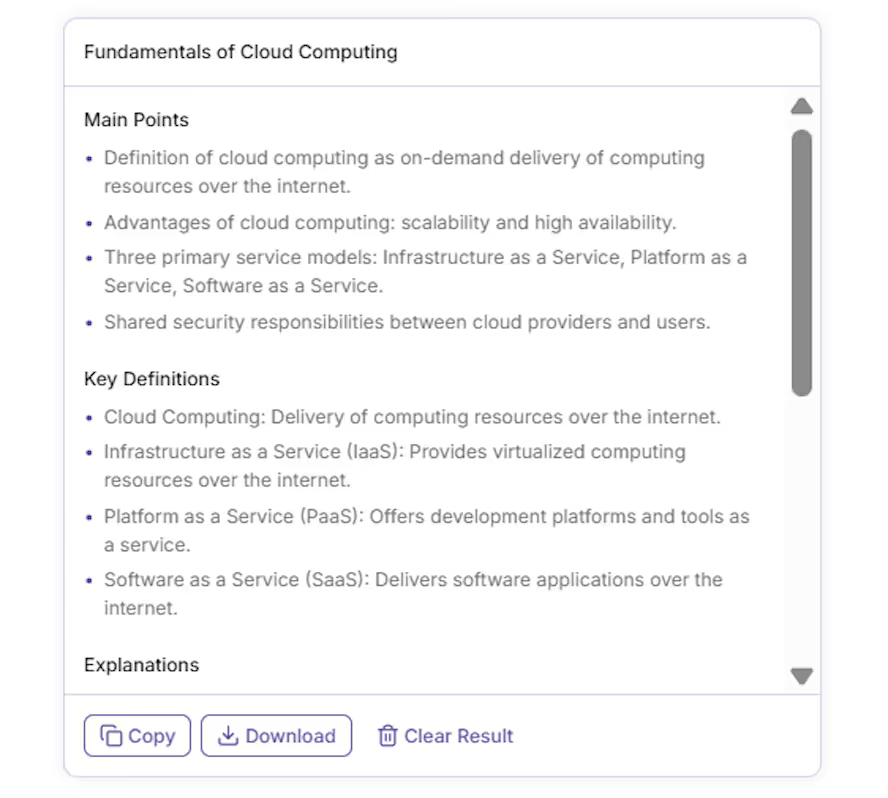
View Structured Summary
View Structured Summary - Your results appear in a neatly organized format.
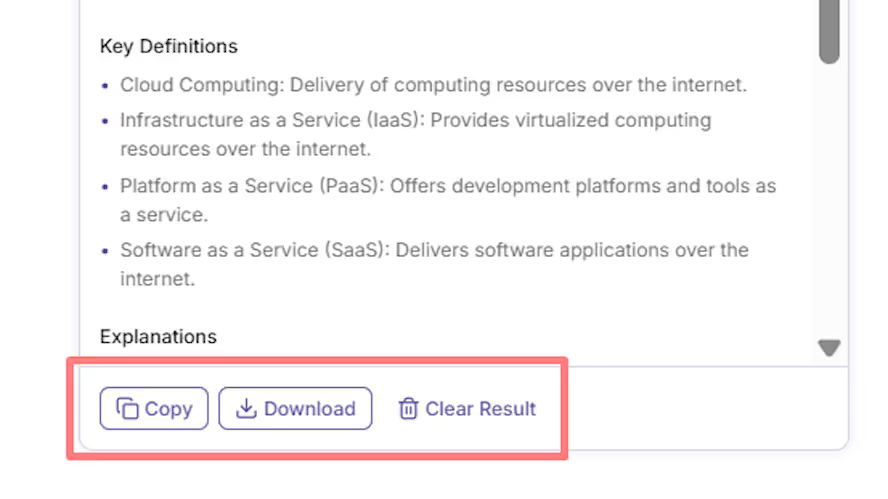
Copy, Download, or Clear
Copy, Download, or Clear - Use Copy to copy the summary, Download to save it as a file, or Clear Result to start a new summarization.
Long lectures are difficult to review, especially when preparing for exams or meetings.
This tool helps remove the complexity by creating accurate, readable summaries.
It saves time by:
Whether you're a student, teacher, or professional, this tool helps you understand and revisit lectures more efficiently.
The Lecture Summarizer uses AI to:
It’s designed to support various lecture types including academic lessons, online courses, technical talks, conference presentations, and training sessions.
This tool is valuable for:
Lectures contain valuable information, but reviewing them can be time-consuming. The Lecture Summarizer Tool automatically extracts important points, definitions, and explanations—saving you hours of manual note-taking.
It accepts both uploaded lecture files and pasted text, converts audio or video into a full transcript, and then produces a neatly structured summary.
The tool highlights essential concepts, definitions, explanations, and conclusions.
Key benefits include:
The Lecture Summarizer Tool helps you learn smarter—not harder. Instead of reading through pages of notes or replaying long videos, you get the essential information in seconds. Perfect for anyone who wants to study efficiently or review content quickly.
What is the Lecture Summarizer Tool?

It’s an AI tool that extracts main points, definitions, and explanations from lecture files.
What formats are supported?
PDF, DOCX, TXT, MP3, WAV, M4A, MP4 up to 5MB.
Is it free to use?
Yes, the tool is completely free with daily action limits (e.g., 10 actions per day).
Does it store my files?
No, files are processed securely and not stored.
Does it work on mobile?
Absolutely. The design is fully responsive and mobile-friendly.
Who can benefit from it?
Students, teachers, professionals, and anyone who wants fast, accurate lecture summaries.

AI & Plagiarism Detector for Serious Content Publishers
Originality.ai
64 Hurontario St
Collingwood, Ontario
L9Y 2L6





