AI Checker
Plagiarism Checker
Grammar Checker
Content Quality
Guideline Checker
Readability Checker
Fact & AI Hallucination Checker

Extensions
The Customer Review Responder Tool is an AI-powered tool that helps you write clear, polite, and professional responses to customer reviews. It allows you to tailor each response based on the review content, response goal, and key points, ensuring your replies remain empathetic, brand-safe, and appropriate for public platforms.
Use this free interactive demonstration to see how Google DeepMind’s published SynthID-Text method samples candidate tokens, applies context-specific key values, and builds a detectable statistical pattern across a passage. The tool is an educational simplification with illustrative values and thresholds. It does not generate text with Gemini or Claude and does not run Google’s or Anthropic’s detector.
The Customer Review Responder Tool is an AI-powered tool that helps you write clear, polite, and professional responses to customer reviews. It allows you to tailor each response based on the review content, response goal, and key points, ensuring your replies remain empathetic, brand-safe, and appropriate for public platforms.
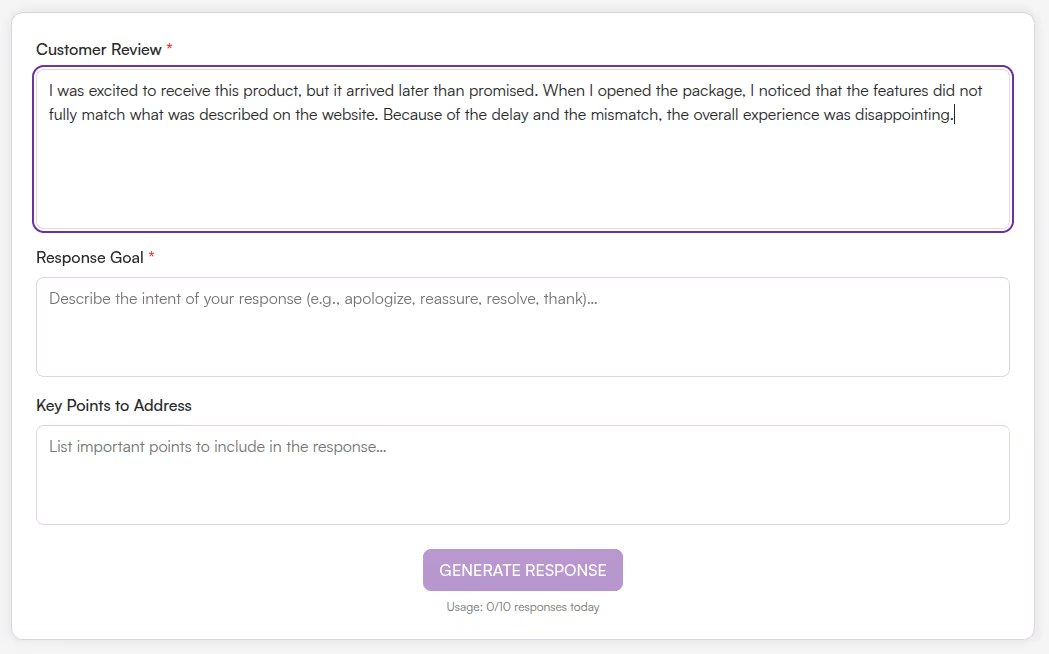
Paste Customer Review
Paste Customer Review - Enter the customer’s review text exactly as received.
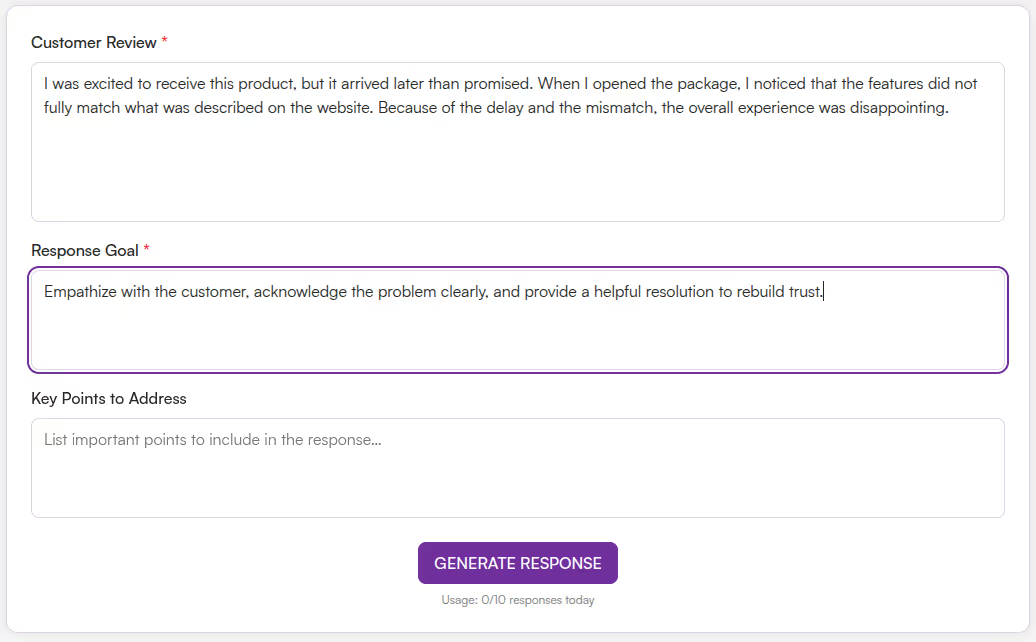
Define Response Goal
Define Response Goal - Describe the intent of your reply, such as apologizing, thanking, reassuring, resolving an issue, or retaining the customer.
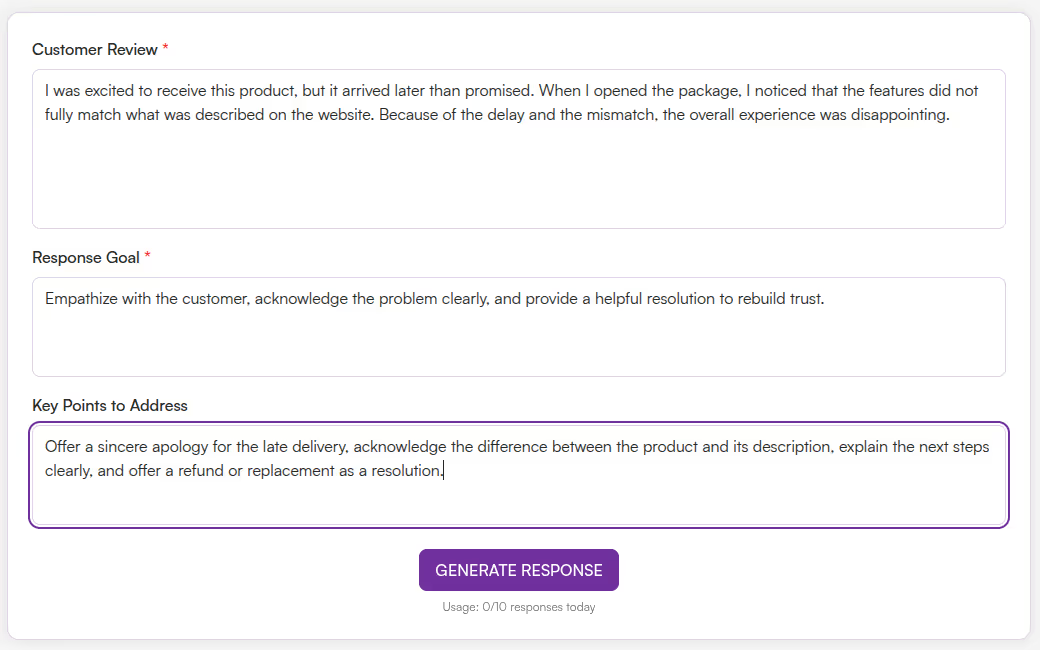
Add Key Points to Address
Add Key Points to Address - List specific details you want included in the response, such as explanations, next steps, or offers.
Review the response
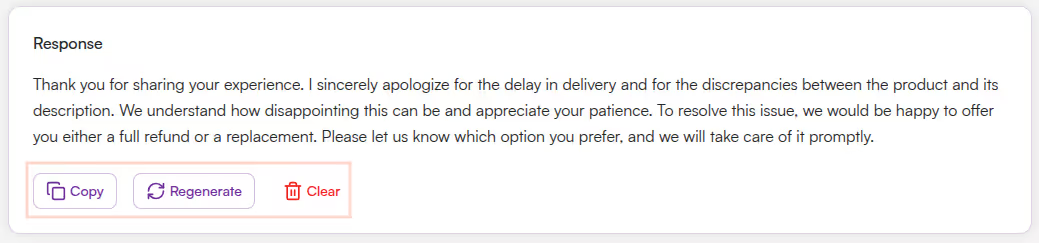
Review the response - The response is displayed in a structured, easy-to-read format.
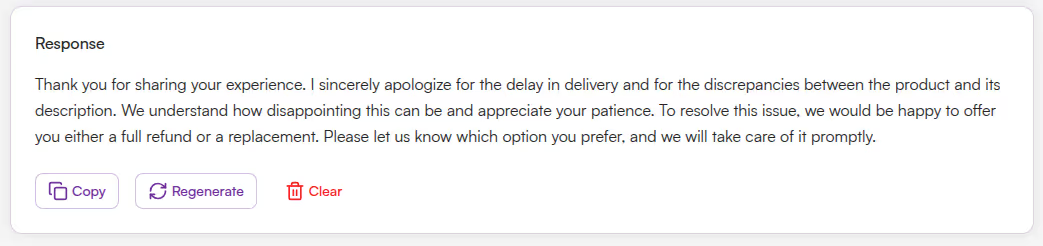
Copy, Regenerate, or Clear Results
Copy, Regenerate, or Clear Results - Copy the story, regenerate a new version, or clear the output to start again.
Responding to customer reviews consistently and professionally is critical for trust and brand reputation. Writing thoughtful replies—especially for negative reviews—can be time-consuming and stressful.
The Customer Review Responder Tool helps you:
The Customer Review Responder Tool is designed for businesses and professionals who manage customer-facing reviews across platforms. It focuses on acknowledgment, tone matching, and clarity, helping you respond appropriately without overpromising or exaggeration.
This tool is ideal for:
Unsure how to respond to customer reviews—especially negative ones? The Customer Review Responder Tool helps you generate thoughtful, professional replies in seconds.
This tool analyzes the customer’s review along with your intended response goal and key points. It then generates a clear, respectful response that acknowledges the customer’s experience and aligns with your brand tone.
The Customer Review Response Tool helps you turn customer feedback into professional, empathetic, and effective responses with minimal effort. Instead of struggling to find the right words, you can rely on AI to craft replies that reflect understanding and accountability.
Whether you are thanking satisfied customers or addressing concerns, this tool ensures your responses are consistent, respectful, and reputation-friendly.
What is the Customer Review Response Tool?

It is an AI-powered tool that generates professional responses to customer reviews based on your goals and key points.
Can it handle negative reviews?
Yes, the tool is designed to respond empathetically to negative feedback while remaining calm and professional.
Can I control the tone of the response?
Yes, the Response Goal input lets you define the tone, such as apologizing, reassuring, or thanking.
Is it free to use?
Yes, the tool is completely free with daily action limits (e.g., 10 limits per day).
Do I need to sign up?
No registration is required. The tool is free and browser-based.
Does it work on mobile?
Absolutely. The design is fully responsive and mobile-friendly.
Who can benefit from it?

AI & Plagiarism Detector for Serious Content Publishers
Originality.ai
64 Hurontario St
Collingwood, Ontario
L9Y 2L6





