AI Checker
Plagiarism Checker
Grammar Checker
Content Quality
Guideline Checker
Readability Checker
Fact Checker

Extensions
The Call Transcript Summarizer Tool instantly converts long call transcripts into clean, structured summaries. Whether the transcript comes from sales calls, customer support conversations, interviews, or team meetings, the tool identifies key points, action items, customer concerns, decisions, and outcomes—so you can understand the call at a glance.
Use this free interactive demonstration to see how Google DeepMind’s published SynthID-Text method samples candidate tokens, applies context-specific key values, and builds a detectable statistical pattern across a passage. The tool is an educational simplification with illustrative values and thresholds. It does not generate text with Gemini or Claude and does not run Google’s or Anthropic’s detector.
The Call Transcript Summarizer Tool instantly converts long call transcripts into clean, structured summaries. Whether the transcript comes from sales calls, customer support conversations, interviews, or team meetings, the tool identifies key points, action items, customer concerns, decisions, and outcomes—so you can understand the call at a glance.
Step-by-Step Guide
Upload or Paste Your Transcript - Click the upload box or drag and drop your file (PDF, DOCX or TXT — up to 50MB) or paste transcript text into the tool.
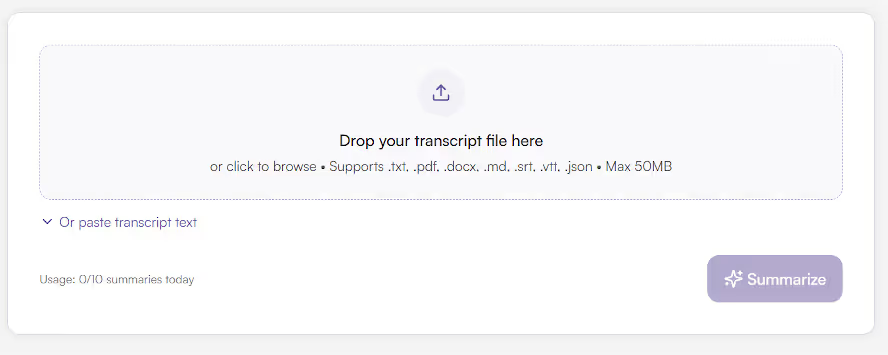
Review Your Uploaded File
Review Your Uploaded File - The file name, size, and type appear at the top, confirming it was uploaded successfully.
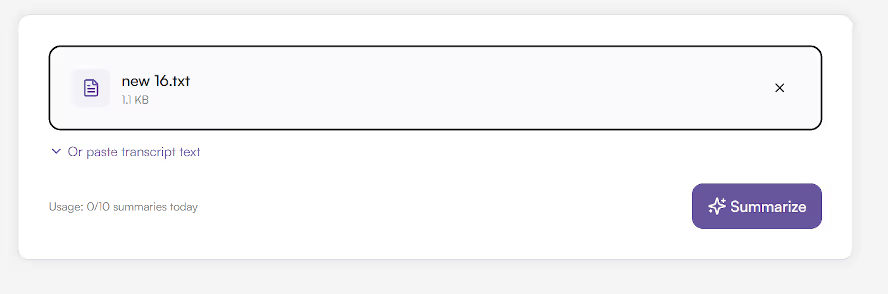
Click SUMMARIZE
Click SUMMARIZE - Press the SUMMARIZE button to begin processing. The tool analyzes the conversation and extracts key insights from the transcript.
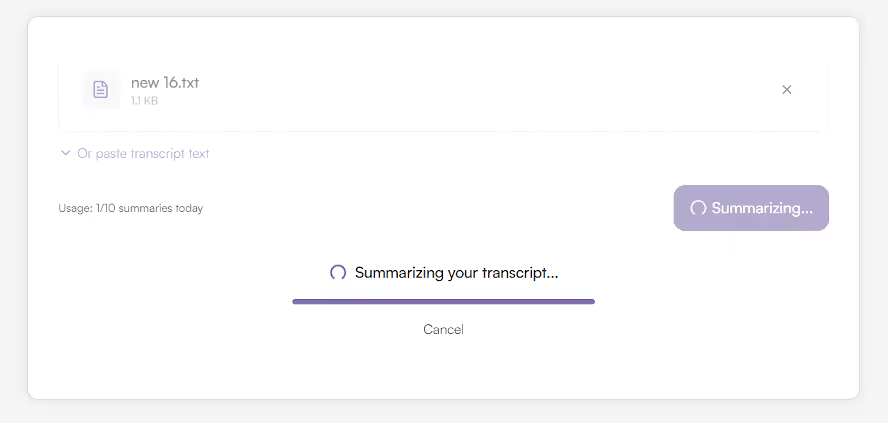
View Structured Summary
View Structured Summary - Your summary appears in clean, organized tabs such as Overview, Key points, Action Items, Decisions and Notes. Each section includes neatly formatted details like purpose, participants, and next steps.

Summarize Another Transcript
Summarize Another Transcript - Click “Summarize Another Transcript” to clear the screen and start a new summarization.
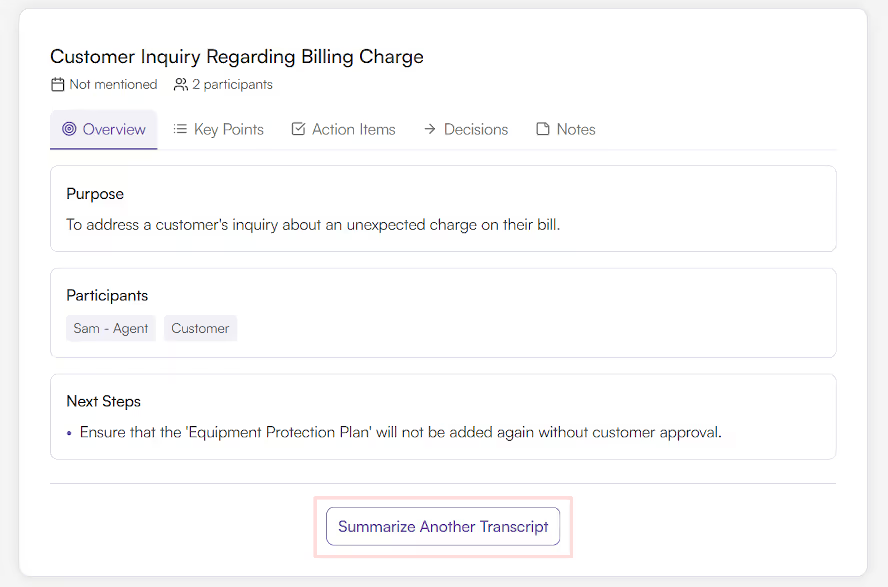
Call transcripts are long and time-consuming to review.
This tool saves valuable time by highlighting the most important parts of the conversation.
It helps you:
In business environments where dozens of calls happen daily, this tool ensures you never miss critical information.
The Call Transcript Summarizer Tool solves this by automatically extracting essential insights from any transcript. Instead of reading pages of conversation, you get a concise, structured summary that highlights:
This transforms your transcript into a fast, scannable document—ensuring no important detail ever gets overlooked.
This tool is valuable for:
Calls contain critical details—but reading through full transcripts is inefficient.
The Call Transcript Summarizer Tool turns lengthy conversations into digestible summaries packed with insights and action steps.
It analyzes your transcript and organizes the content into meaningful sections such as:
This enables faster review and clearer understanding of what happened during the call.
The Call Transcript Summarizer Tool eliminates the need to manually scan long transcripts. Whether you're reviewing sales calls, interviews, or team discussions, this tool helps you capture the essential information instantly—so you can act faster and stay organized.
What is the Call Transcript Summarizer Tool?

A tool that turns long call transcripts into clear, structured summaries.
What formats are supported?
TXT, DOCX, and PDF files.
Is it free to use?
Yes, the tool is completely free with daily action limits (e.g., 10 actions per day).
Does it store my files?
No, files are processed securely and not stored.
Does it work on mobile?
Absolutely. The design is fully responsive and mobile-friendly.
Who can benefit from it?
Sales teams, support teams, HR, managers, researchers, interviewers, and anyone reviewing recorded conversations.

AI & Plagiarism Detector for Serious Content Publishers
Originality.ai
64 Hurontario St
Collingwood, Ontario
L9Y 2L6





