AI चेकर
साहित्यिक चोरी चेकर
व्याकरण जाँचकर्ता
सामग्री की गुणवत्ता
दिशानिर्देश चेकर
पठनीयता चेकर
तथ्य जाँचकर्ता

Chrome एक्सटेंशन
MCP
सबसे सटीक AI डिटेक्टर और प्लेजरिज़्म चेकर।




























QA/QC उत्पादों का एक संपूर्ण सूट

पूरे आत्मविश्वास के साथ देखें कि लेखन मानव द्वारा लिखा गया है या संभवतः AI है, Chrome, Google Docs, और Firefox पर। फिर, हमारे वेब-ऐप के साथ अपनी सामग्री जांचों को और बेहतर बनाएँ।

AI चेकर ›
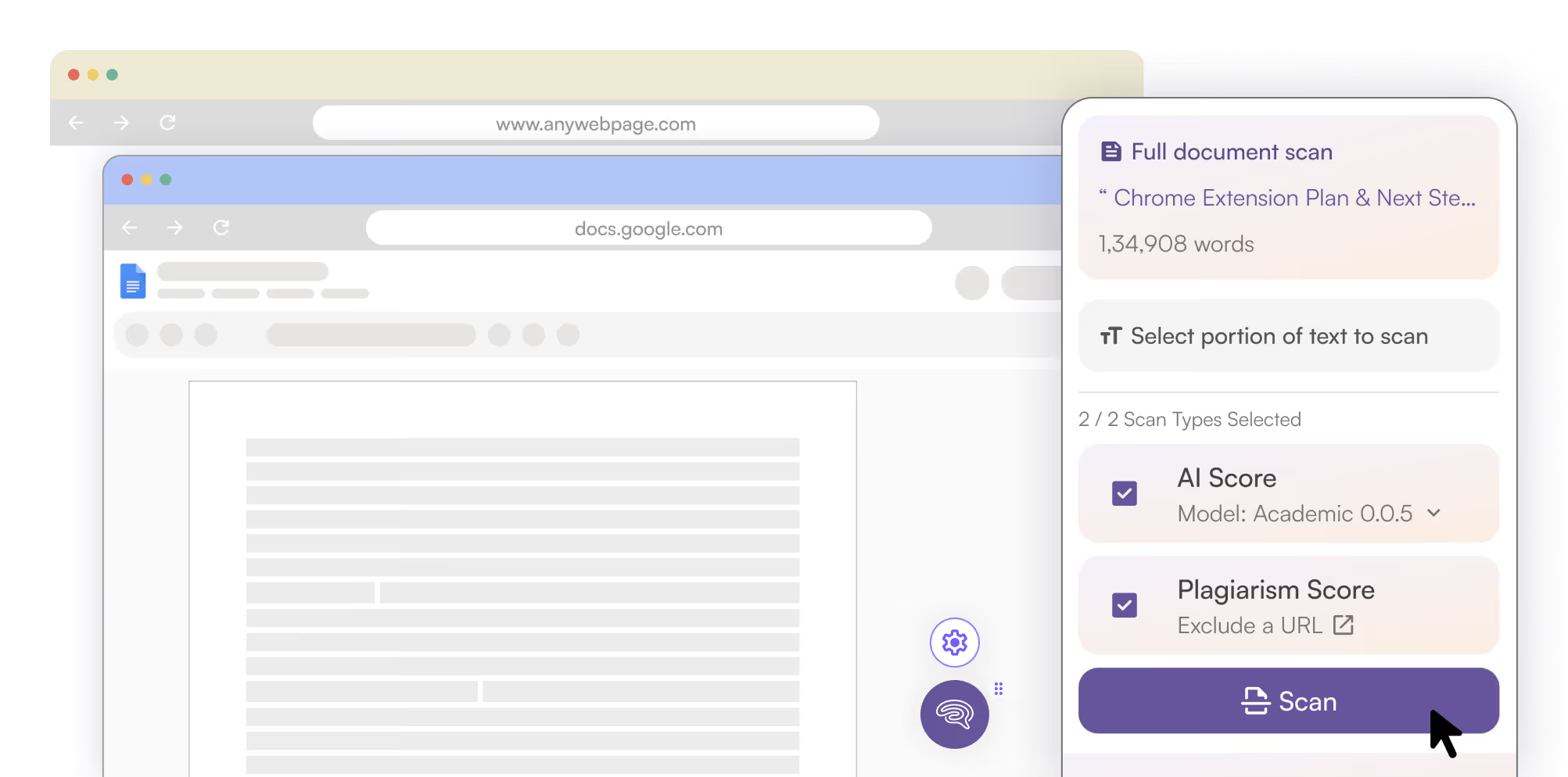
AI Detector By Originality.ai™ Google Docs, Chrome, और Firefox के लिए। अब AI Allowance के साथ।

साहित्यिक चोरी जाँचकर्ता ›
Google Docs, Chrome, और Firefox में उद्योग-अग्रणी साहित्यिक चोरी जाँच।

Writer Replay ›
Google Docs निर्माण का तेज़ किया गया अक्षर-दर-अक्षर रीप्ले देखें।

ऑटो-टाइपिंग पहचान ›
क्या यह किसी इंसान ने लिखा है या bot ने? natural vs. auto-typing detection से पता लगाएँ।
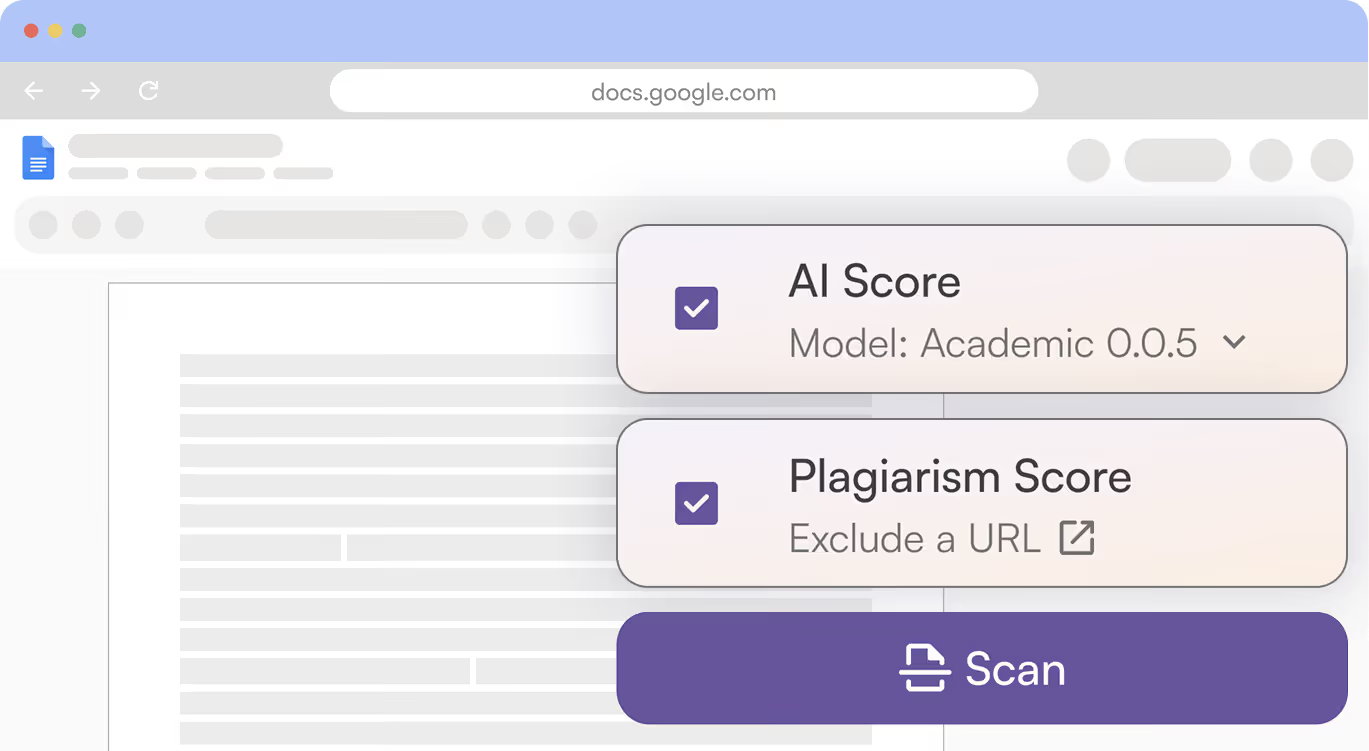

Google Docs में आत्मविश्वास के साथ मौलिकता सत्यापित करें
निबंध, लेख या ब्लॉग लिख रहे हैं? किसी वेब पेज की समीक्षा कर रहे हैं?
AI लेखन (99% सटीकता) और संभावित साहित्यिक चोरी (99.5% तक सटीकता) की जाँच सीधे Google Docs और Chrome में करें।
अब AI जाँचों के लिए AI Allowance के साथ, जो आपके हाइब्रिड-कंटेंट वर्कफ़्लो के अनुसार अनुकूलित होती हैं।
सिद्ध सटीकता अध्ययनों को देखें: AI पहचान अध्ययन + तृतीय-पक्ष स्वतंत्र अध्ययन।
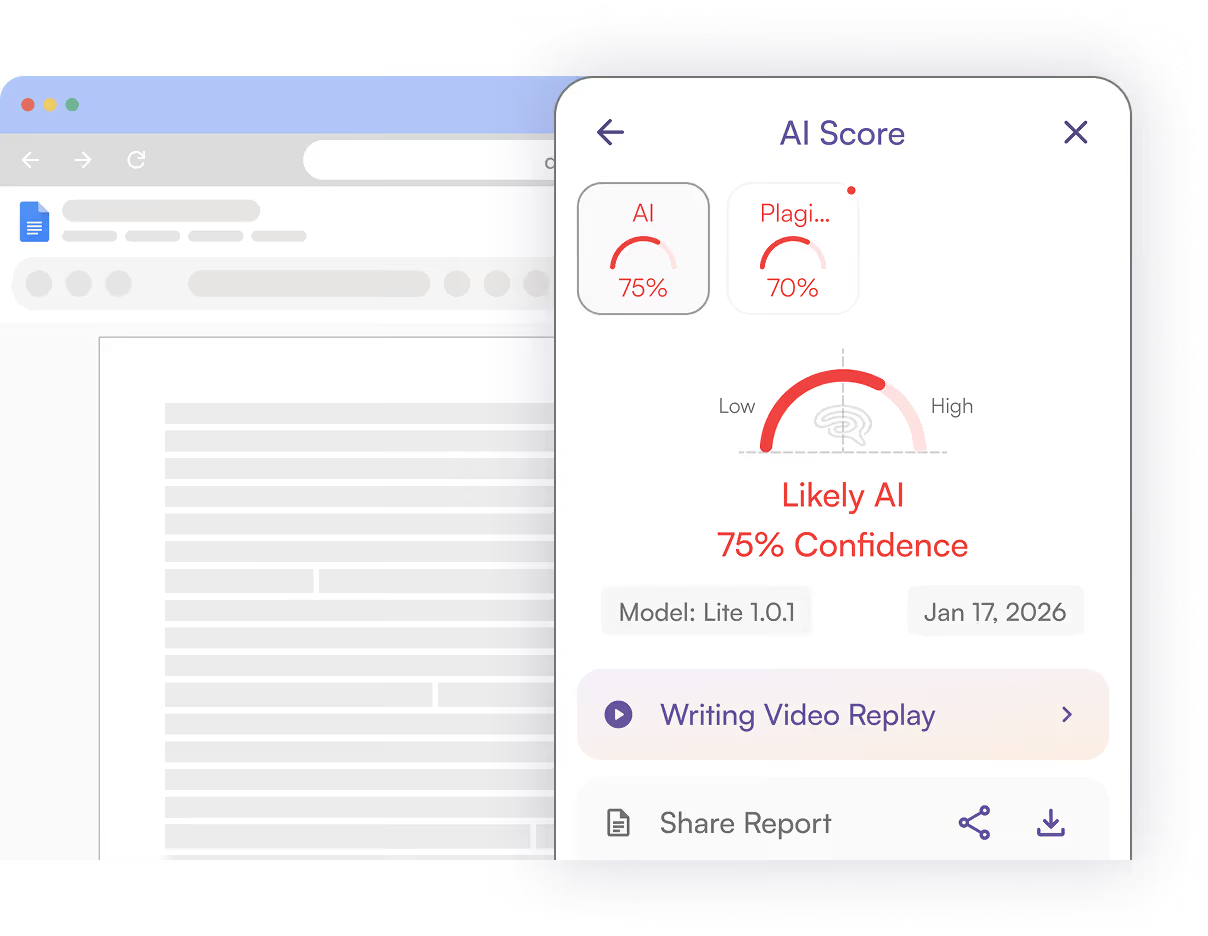

गलत सकारात्मक परिणामों को अलविदा कहें
Originality.ai के साथ Google Docs में साबित करें कि लेखन आपका है:
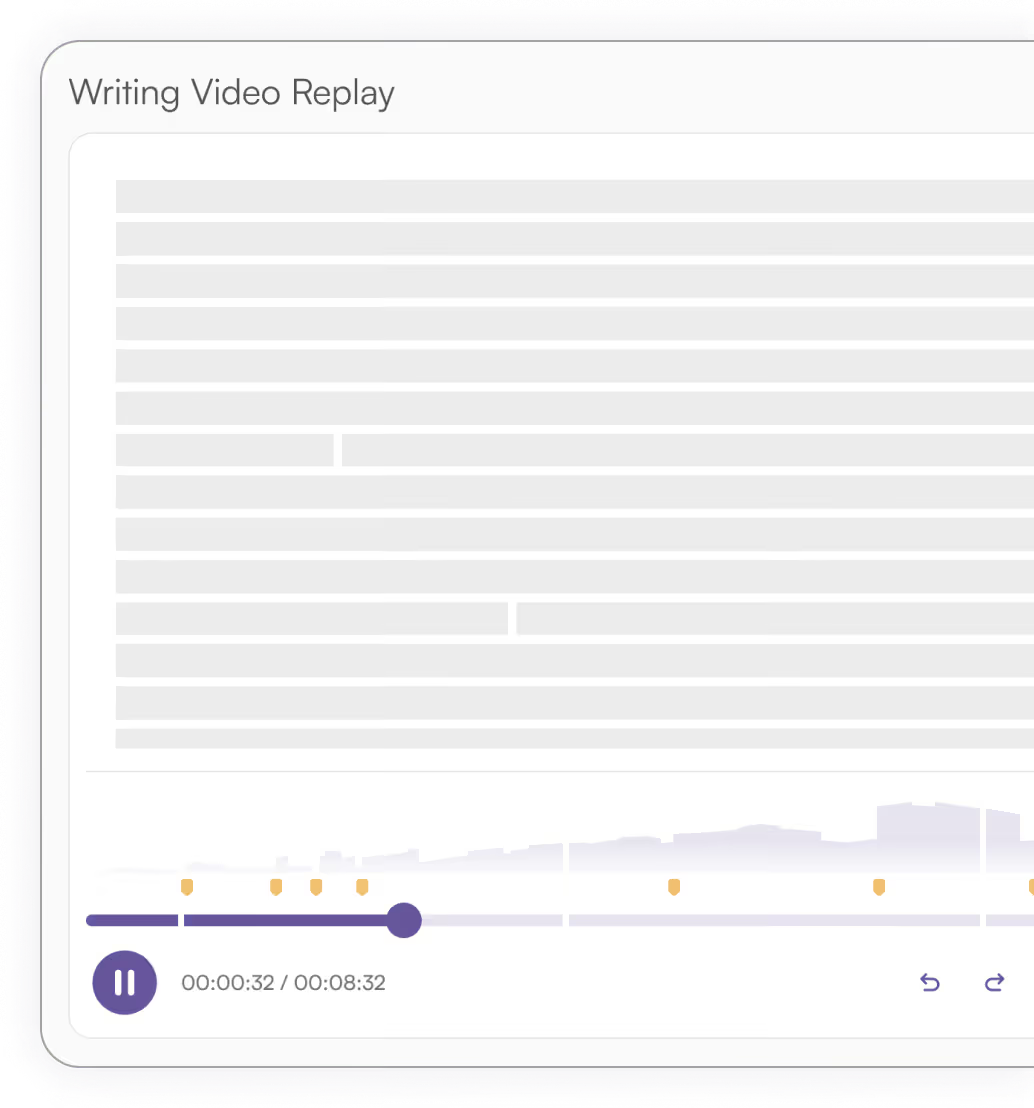

Chrome, Google Docs & Firefox के लिए Originality.ai: विशेषताएँ

हमारे पेटेंटेड टूल्स का सूट लेखकों, संपादकों, मार्केटर्स, छात्रों और शिक्षकों का समर्थन करता है।
एआई & साहित्यिक चोरी स्कैन
चुनें कि आप AI Allowance के साथ कितनी AI की अनुमति देते हैं और साथ ही साहित्यिक चोरी के लिए स्कैन करें।
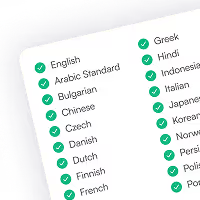
Multilingual AI डिटेक्शन
AI टेक्स्ट के लिए 30 भाषाओं में स्कैन करें + सर्वश्रेष्ठ गैर-अंग्रेज़ी मॉडल को स्वतः चुनें। वैश्विक दर्शकों के लिए आत्मविश्वास के साथ प्रकाशित करें।
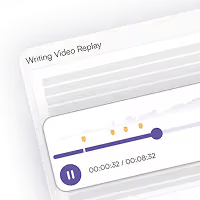
एक लेखक को लिखते हुए देखें
लेखन और संपादन का रीप्ले देखें ताकि पता चल सके कि Google Doc कैसे बनाया गया था (और संभावित ऑटो-टाइपर का पता लगाएँ)।
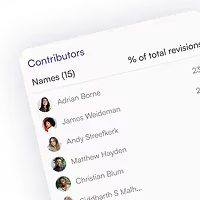
योगदानकर्ताओं को देखें
किसने कौन-सा सेक्शन लिखा या संपादित किया? अब आप योगदानकर्ताओं को स्पष्ट रूप से देख सकते हैं।

टीम सदस्य एक्सेस
अपने स्कूल या संगठन के माध्यम से Chrome या Firefox के लिए Originality.ai तक पहुँच प्राप्त करें।

साझा करने योग्य रिपोर्ट्स
AI और साहित्यिक चोरी के स्कैन के लिए साझा करने योग्य केवल-पठन रिपोर्टों के साथ सभी को सूचित रखें।


लेखक, संपादक और मार्केटर्स

छात्र और शिक्षक

स्कूल & Enterprise


Jennifer Korn
कंपनियाँ कर्मचारियों के लिए जनरेटिव AI को कैसे अपना रही हैं…या नहीं
AI content detector Originality.AI के अनुसार, कई प्रमुख कंपनियों ने आंतरिक ChatGPT उपयोग को पूरी तरह से अवरुद्ध कर दिया है, जिनमें JPMorgan Chase, Northrup Grumman, Apple, Verizon, Spotify और Accenture शामिल हैं, जिनमें से कई ने गोपनीयता और सुरक्षा संबंधी चिंताओं का हवाला दिया है।

Ben Schreckinger
AI बनाम जनमत
Originality.ai, एक साइट जो AI-जनरेटेड कंटेंट और साहित्यिक चोरी के लिए पहचान सेवाएँ प्रदान करती है, ने एक सुविधाजनक ट्रैकर प्रकाशित किया है, जिसमें OpenAI और ChatGPT के खिलाफ लंबित 10 मुकदमों की सूची है।

Betsy Reed
मशरूम चुनने वालों से Amazon पर ऐसी फॉरेजिंग किताबों से बचने का आग्रह किया गया है, जो AI द्वारा लिखी गई प्रतीत होती हैं
किताबों से लिए गए चार नमूनों की जांच Guardian के लिए Originality.ai द्वारा की गई, जो AI सामग्री का पता लगाने वाली एक अमेरिकी कंपनी है।

Steven Lee Myers & Tiffany Hsu
ए.आई. उछाल का एक और पहलू: ए.आई. क्या बनाता है, इसका पता लगाना
एक दर्जन से अधिक कंपनियाँ ऐसी सेवाएँ प्रदान करने के लिए सामने आई हैं, जिनका उद्देश्य यह पहचानना है कि फ़ोटो, टेक्स्ट और वीडियो इंसानों द्वारा बनाए गए हैं या मशीनों द्वारा।

जनरेटिव AI: हाइपरइंटेलिजेंस नहीं, बल्कि हाइप मूल्य बढ़ा रहा है
जेनरेटिव कृत्रिम बुद्धिमत्ता आसमान में जादू पैदा कर सकती है, ऐसा अग्रणी स्टार्ट-अप OpenAI के संस्थापक Sam Altman कहते हैं। सफल उद्यमियों को दूरदर्शी बयान देने का अधिकार है।

Sara Fischer
प्रमुख वेबसाइटें AI क्रॉलर्स को अपनी सामग्री तक पहुँचने से रोक रही हैं
AI सेवाओं के लिए वेब डेटा इकट्ठा करने वाले क्रॉलर बॉट्स को दुनिया की शीर्ष 1000 वेबसाइटों में से लगभग 20% ब्लॉक कर रही हैं, यह जानकारी AI कंटेंट डिटेक्टर Originality.AI के नए डेटा के अनुसार है।

Andrea Taloni, Vincenzo Scorcia, and Giuseppe Giannaccare
शैक्षणिक जगत में आधुनिक खतरे: ChatGPT के साहित्यिक चोरी और कृत्रिम बुद्धिमत्ता पहचान स्कोर का मूल्यांकन
साहित्यिक चोरी और शोध की सत्यनिष्ठा शैक्षणिक परिवेश में संवेदनशील मुद्दे हैं, विशेष रूप से कृत्रिम बुद्धिमत्ता (AI) और GPT-4.0 जैसे बड़े भाषा मॉडल (LLMs) के हालिया उद्भव के बाद [1].

Sara Guaglione
प्रकाशक AI वेब क्रॉलर्स को ब्लॉक करने की प्रभावशीलता पर सवाल क्यों उठा रहे हैं
Bloomberg और The New York Times सहित कई प्रकाशकों ने OpenAI के वेब क्रॉलर को अपनी साइटों तक पहुँचने से तुरंत रोक दिया, ताकि उनकी सामग्री को स्क्रैप किए जाने और कृत्रिम बुद्धिमत्ता टेक कंपनी के बड़े भाषा मॉडल (LLMs) को फ़ीड करने के लिए उपयोग किए जाने से बचाया जा सके।

क्या Originality.ai एक्सटेंशन सटीक हैं?

हाँ, Chrome, Google Docs, और Firefox के लिए Originality.ai पेटेंटेड, उद्योग-अग्रणी Originality.ai AI डिटेक्टर और साहित्यिक चोरी जाँचकर्ता को एकीकृत करता है। यह आंतरिक AI डिटेक्शन अध्ययनों और साहित्यिक चोरी अध्ययनों, साथ ही स्वतंत्र अध्ययनों से सिद्ध सटीकता प्रदान करता है।
Originality.ai Chrome एक्सटेंशन झूठे पॉज़िटिव को कैसे रोकता है?
Originality.ai की गलत पॉज़िटिव दरें कम हैं। यह एक्सटेंशन AI पहचान में गलत पॉज़िटिव को रोकने में मदद करता है, ‘लेखक को लिखते हुए देखें’ के साथ, जिसमें दस्तावेज़ निर्माण के प्लेबैक के लिए लेखन प्रक्रिया को अक्षर-दर-अक्षर दिखाया जाता है। साथ ही, देखें कि इसे किसी इंसान ने लिखा है या किसी ऑटो-टाइपिंग टूल ने।
क्या आप देख सकते हैं कि Google Doc किसने लिखा?
हाँ! Chrome के लिए Originality.ai दिखाता है कि Google Doc में किसने योगदान दिया (और उन्होंने कितना योगदान दिया)। स्कूल प्रोजेक्ट्स, सहयोगात्मक लेखों, या मार्केटिंग सामग्रियों में सभी के योगदान को पारदर्शी रूप से देखें।
क्या Originality.ai ब्राउज़र एक्सटेंशन मुफ़्त हैं?
आप Originality.ai को Chrome, Google Docs, और Firefox के लिए मुफ्त में उपयोग कर सकते हैं। Chrome एक्सटेंशन के भीतर प्रीमियम सुविधाओं के बारे में अधिक जानने के लिए, हमारे प्राइसिंग पेज पर जाएँ।
आप Originality.ai ब्राउज़र एक्सटेंशन कहाँ से डाउनलोड कर सकते हैं?
Chrome Web Store से Originality.ai Chrome और Google Docs एक्सटेंशन आसानी से डाउनलोड करें, या यहाँ Firefox के लिए Originality.ai डाउनलोड करें. प्रीमियम सुविधाओं तक पहुँचने के लिए लॉग इन करें या साइन अप करें।
क्या Originality.ai ऑटो-टाइपिंग का पता लगाता है?
देखें कि कोई Google Doc संभवतः किसी ऑटो-टाइपिंग टूल (बॉट) द्वारा बनाया गया था या Chrome और Firefox के लिए Originality.ai के साथ किसी मानव द्वारा स्वाभाविक रूप से लिखा गया था।
क्या मैं एक्सटेंशन के साथ बहुभाषी स्कैन चला सकता/सकती हूँ?
Originality.ai के बहुभाषी AI डिटेक्शन मॉडल के साथ 30 भाषाओं में AI टेक्स्ट का सटीक रूप से पता लगाएँ, जो Originality.ai में Chrome, Google Docs, और Firefox के लिए उपलब्ध है। साथ ही, सर्वश्रेष्ठ गैर-अंग्रेज़ी मॉडल को स्वतः चुनें।
मैं अपने स्कैन परिणाम कैसे साझा करूँ?
Originality.ai एक सुविधाजनक, साझा करने योग्य रीड-ओनली रिपोर्ट प्रदान करता है, जिसका उपयोग आप शिक्षकों, छात्रों, लेखकों और संपादकों के साथ AI और plagiarism scan परिणाम साझा करने के लिए कर सकते हैं।
क्या browser extensions से किए गए मेरे स्कैन web app में सेव होते हैं?
स्कैन चलाने के बाद (Chrome, Google Docs, या Firefox), अपने स्कैन देखने के लिए वेब ऐप पर जाएँ। स्कैन टैग किए जाते हैं, जिससे उन्हें ढूँढना और व्यवस्थित रहना आसान हो जाता है।

गंभीर कंटेंट प्रकाशकों के लिए AI & साहित्यिक चोरी डिटेक्टर
Originality.ai
64 Hurontario St
Collingwood, Ontario
L9Y 2L6