Verificador de IA
Verificador de plágio
Corretor gramatical
Qualidade do conteúdo
Verificador de Diretrizes
Verificador de legibilidade
Verificador de Fatos

Extensão do Chrome
MCP
A Originality.ai tem um Verificador de Fatos patenteado, em tempo real e preciso que identifica fatos falsos e ajuda você a evitar alucinações de AI. Publique conteúdo com integridade.

























Um conjunto completo de produtos de QA/QC

Além do nosso recurso de Verificador de Fatos listado nesta página, temos um conjunto completo de ferramentas de IA para ajudar Editores, incluindo Verificação de IA, Verificação de Plágio, Verificação de Legibilidade & Gramática & Verificação Ortográfica.

Verificador de Fatos ›
Use nosso auxílio de verificação de fatos para ajudar a garantir que seu conteúdo esteja factualmente correto.

Verificador de IA ›
O detector de IA mais preciso para todas as ferramentas de escrita de IA. Experimente agora gratuitamente.

Verificador de plágio ›
Veja se o texto foi plagiado de algum lugar na internet.

What is Originality.ai MCP (Model Context Protocol)?
What are MCP and AI Connectors?
MCP (Model Context Protocol) also called AI connectors are the next innovation in AI-assisted workflows. MCP is an open standard that connects tools, like Originality.ai, to AI assistants, think ChatGPT and Claude.
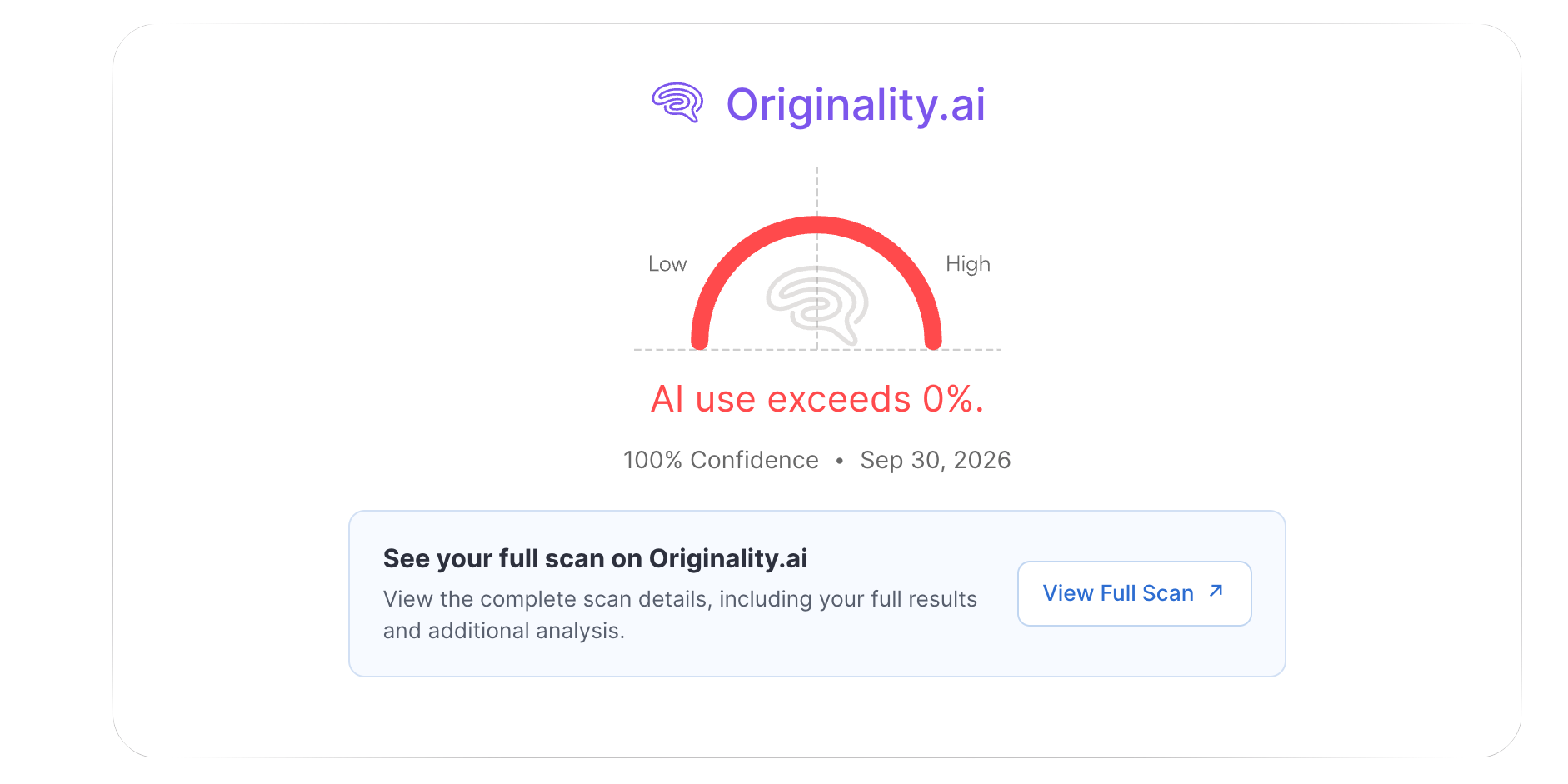
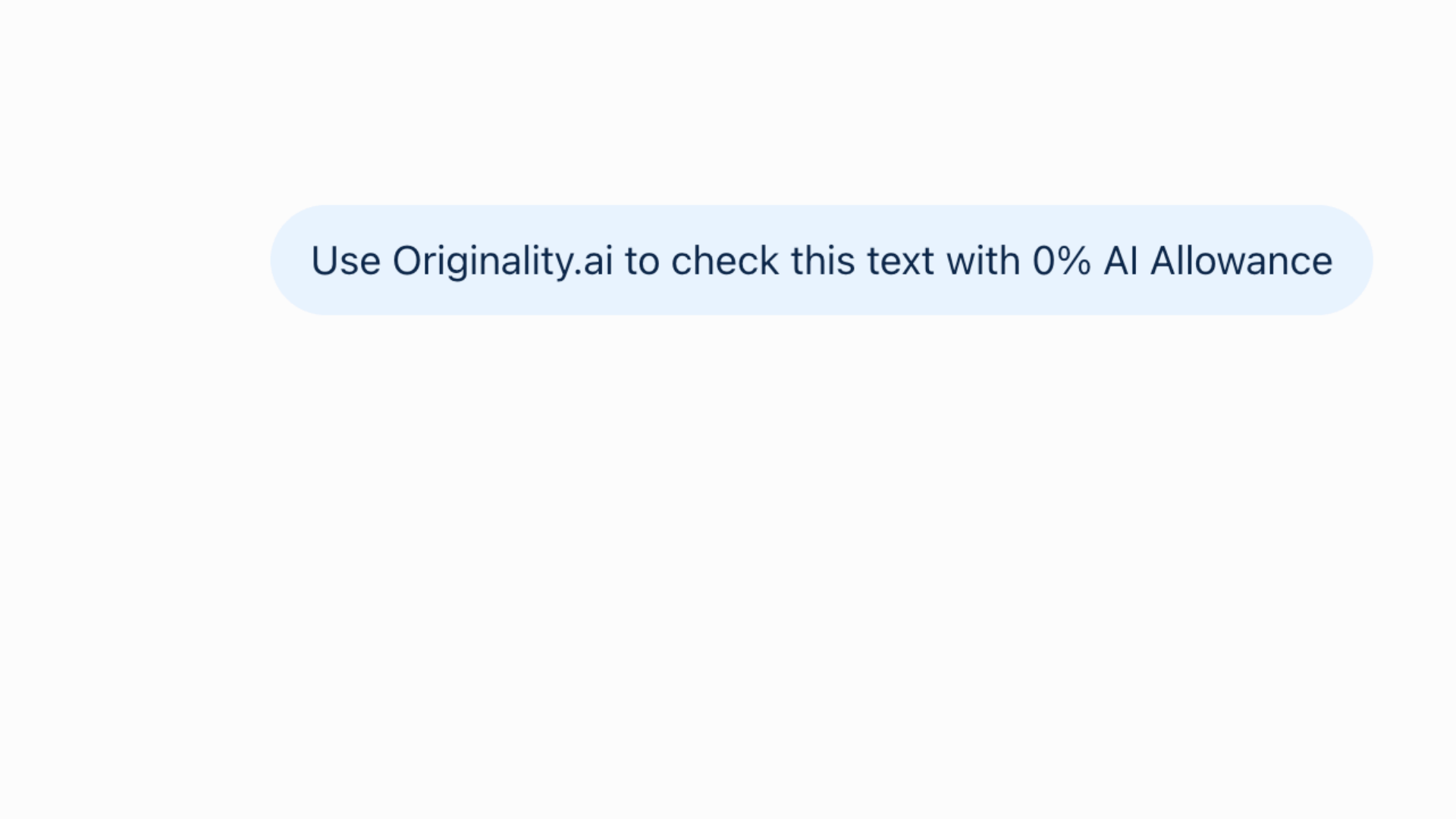
With Originality.ai MCP you can detect AI content without leaving your AI chat. Once installed, just ask AI to scan with AI Allowance:
Example: Use Originality.ai to check this text with 15% AI Allowance
Reviewing blogs or assignments for potential AI usage just got that much easier.

Key Features: Originality.ai MCP Integration

Already working in the ChatGPT, Codex, or Claude ecosystem? Now you can check for Likely AI content without leaving your AI conversation.
ChatGPT MCP
AI checker in Codex or ChatGPT. Maintain content transparency in OpenAI’s agentic workflows.
Claude AI Connector
AI detection in Claude. Scan for AI text with Originality.ai using Anthropic’s latest AI agents.

Humans and AI are Multilingual: Originality.ai MCP is too
Accurately Check for AI Writing in 30+ Languages
Prompt ChatGPT or Claude to run a multi-language scan. Then, see if text is Likely AI or Likely Original in over 30 languages with 97.8% accuracy.
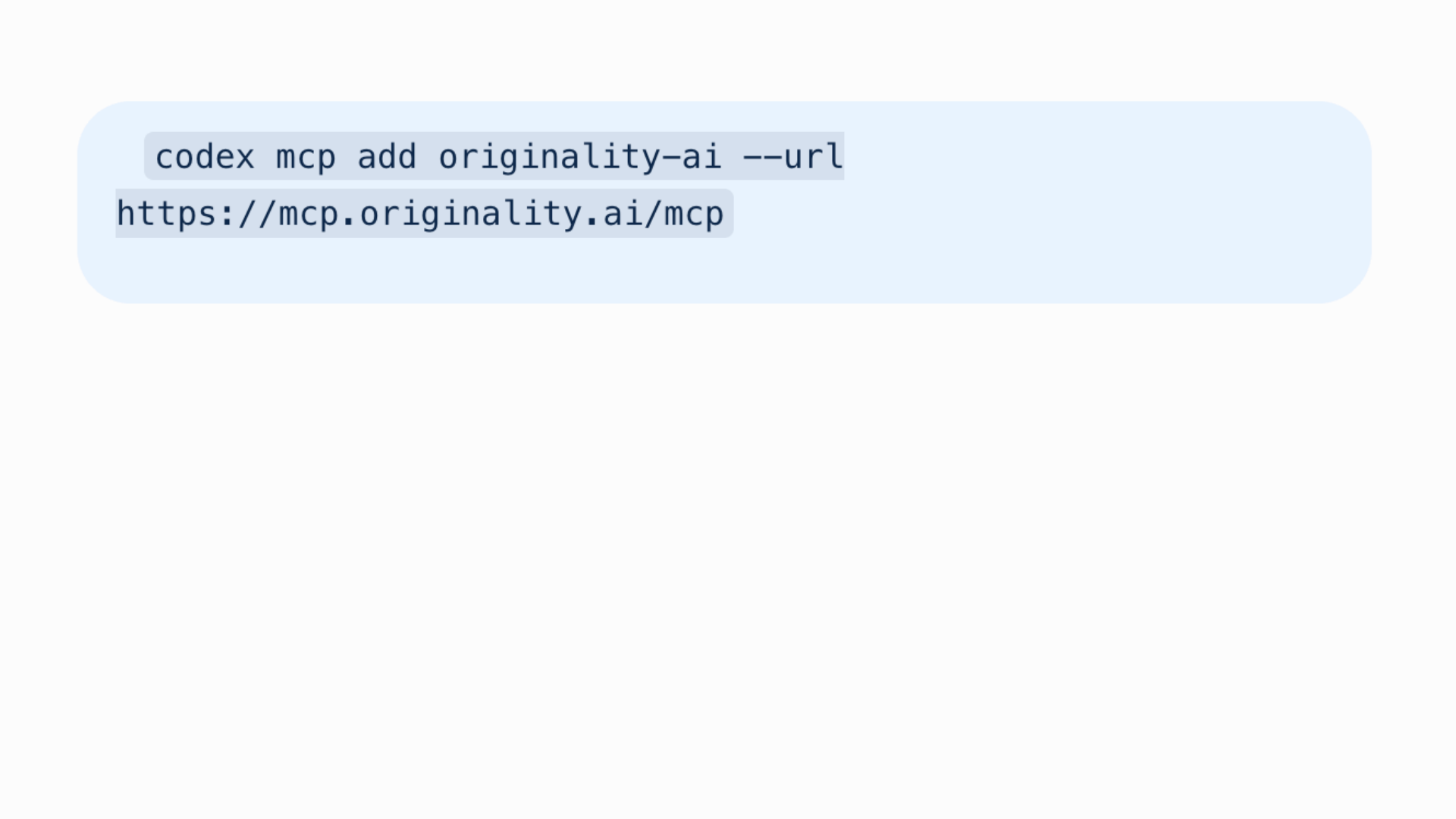
Step 2
Prompt an Originality.ai Scan
Easily ask ChatGPT or Claude to use @originality.ai to run an AI detection scan on text.
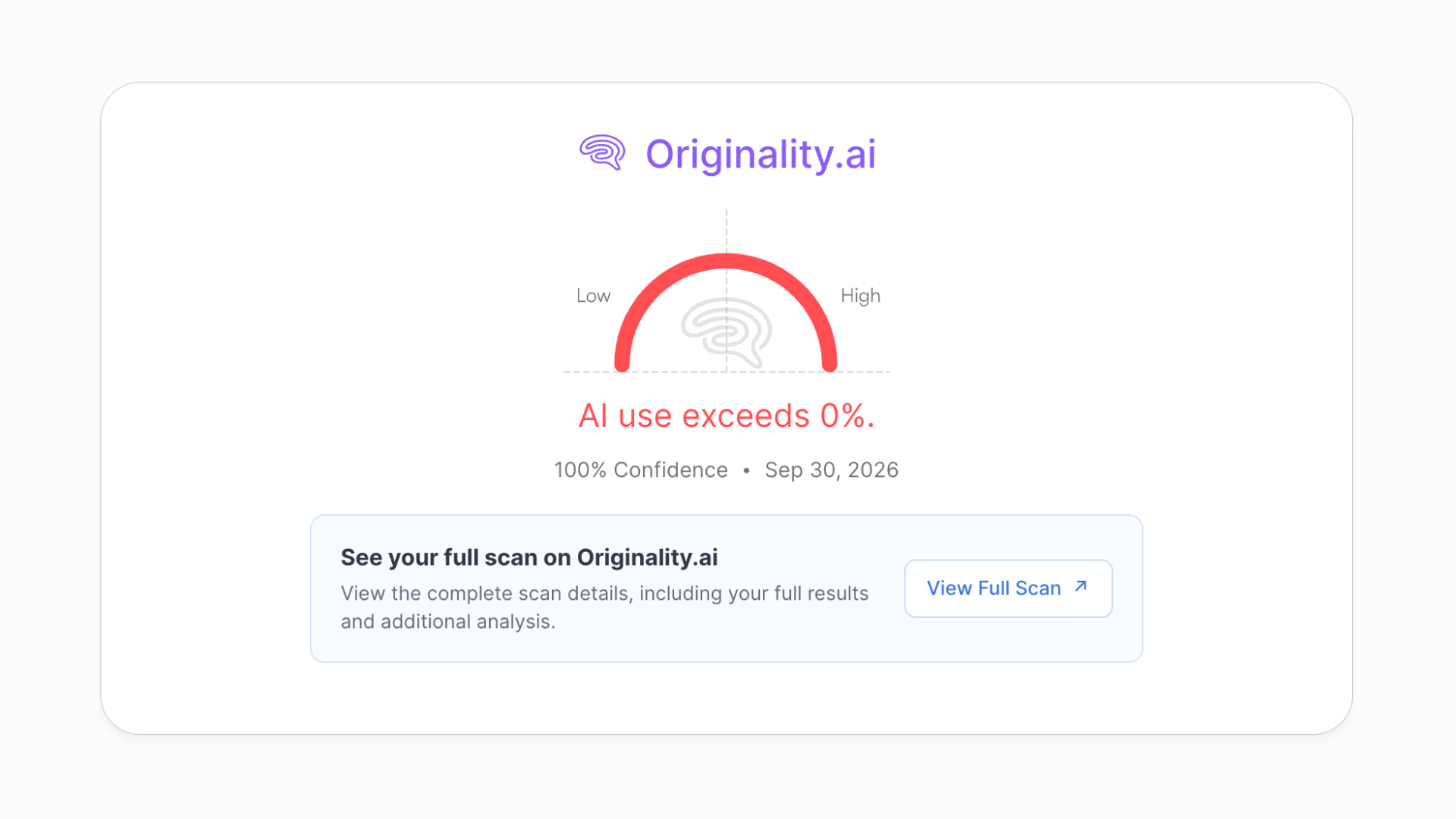
Step 3
Review Results
See your scan results right in the AI chat, or ‘View Full Scan’ to navigate to the app for more details.


Writers, Editors & Marketers
Use Originality.ai MCP to check drafts for AI-generated text and plagiarism without leaving your AI assistant.

Students & Teachers
Run Originality.ai checks through your AI assistant to support assignment reviews and discussions about originality.

Schools & Enterprise
Connect Originality.ai to your AI agents through MCP and incorporate content checks into your review workflows.

Integrações: Extensões & Plugins
Integre perfeitamente nosso verificador de IA às suas plataformas favoritas, como Chrome, Moodle e muito mais. Verifique o uso de IA sem perder o ritmo.


Sam Saltis

Originality é uma ótima ferramenta para detectar conteúdo de IA. O produto tem sido inestimável para nossa equipe de marketing de conteúdo. Fernanda e a equipe são sempre muito ágeis e prestativas. Recomendo muito este produto.
Miguel Maloney Thompson
Tenho a oportunidade de garantir que minha escrita esteja livre de plágio e, com tanto conteúdo gerado por IA por aí, posso garantir que minha escrita não seja sinalizada como apenas mais uma entre tantas.
Faço redação técnica, na qual há apenas um número limitado de maneiras de descrever conceitos e ideias. No entanto, Originality.ai me dá a oportunidade de personalizar ainda mais minha escrita, o que é uma vantagem. Com algum tempo, posso dar ao meu conteúdo um senso de singularidade.
John Kohn
Confiável e digna de confiança. A Originality sempre responde muito rapidamente às minhas perguntas e oferece ajuda. É uma ferramenta muito boa para detectar o uso do ChatGPT em trabalhos acadêmicos, especialmente com o recurso "view writing", que mostra o texto sendo digitado pelo aluno enquanto ele o digitava.
Stevie Lambert
A IA é precisa em comparação com opções gratuitas, e a equipe de suporte, como a Ellie, é muito prestativa. A interface é fácil de usar e mostra uma % de chance de o trabalho ser IA. Também é bom que ela mostre quais partes podem ser IA ou não.
Aptidus
O serviço prestado é excepcional, oferecendo o detector de IA mais preciso e confiável disponível no mercado. A equipe de suporte ao cliente é excepcionalmente ágil.
Vivek Pandey
Há muitas ferramentas semelhantes de detecção de IA disponíveis online, mas nada chega nem perto do que eles oferecem. Não consigo confiar em nenhuma outra ferramenta além das deles. Já experimentei talvez 20-30 outros sites e acabei ficando com eles.
Yanmin Wang
Tive uma excelente experiência com a equipe de suporte da Originality.ai. Eles foram incrivelmente ágeis nas respostas e forneceram respostas claras e detalhadas a todas as minhas perguntas. As explicações foram completas, e agora tenho uma compreensão muito melhor de como a plataforma funciona e de como meu conteúdo é tratado.
A equipe foi paciente e profissional e foi além do esperado para garantir que todas as minhas preocupações fossem atendidas. Agradeço muito pela ajuda e pelo atendimento ao cliente de primeira qualidade que oferecem. Altamente recomendado!
Canadian Law Student
Originality.ai é a melhor ferramenta do mercado. Já usei serviços comparáveis e este é excepcional. Ele fornece um relatório preciso com uma pontuação de correspondência que realmente ajuda escritores/pesquisadores a ajustar e aprimorar seu trabalho.
Também há recursos avançados, como detecção de paráfrase, que não estão disponíveis em nenhum outro serviço comparável. Os recursos oferecidos pela Originality.ai são excepcionais para usuários que desejam evitar plágio e também melhorar seu processo de pesquisa. Espero continuar usando Originality.ai por muitos anos.
John Willsdon
Esta é uma ferramenta realmente útil. Certamente a melhor entre os detectores de IA que experimentei. O que a torna excelente é que você também tem acesso a várias outras ferramentas que são realmente úteis. O verificador de fatos é incrível, ele fornece feedback sobre se os pontos do seu ensaio são factuais ou não, lendo o material de origem nas suas citações.
Todd
Uso esta ferramenta desde o início! E ela já me salvou muitas vezes. Muitas vezes, ao verificar os sites de clientes, o problema era conteúdo de IA ou plágio.
Chris Swanson
Quando contrato redatores, quero conteúdo 100% escrito por humanos. Dependo da Originality.ai para verificar isso para mim.
Dirk Berger
Originality.ai me salvou de cometer um grande erro. Escrevi um livro com a ajuda do ChatGPT, 40% do meu trabalho é IA; 60% é humano. Ele identificou a IA, e agora estou escrevendo tudo por conta própria. 88-100% humano. Obrigado, Originality.ai.
Rob McTavish
Comecei a procurar uma ferramenta fácil para confirmar minhas suspeitas sobre alguns dos materiais enviados pelos meus alunos em cursos de Comunicação do primeiro ano. Encontrei a Originality.ai e experimentei. Funcionou tão bem que eu realmente a testei com alguns materiais que criei usando AI como exemplo e, como esperado, ela determinou perfeitamente qual era o meu trabalho, o que era totalmente escrito por AI e o que era material de AI editado.
Andrew Stevenson
Originality.ai tem sido notável em sua capacidade de detectar conteúdo de IA. O atendimento ao cliente também é incrível pela forma minuciosa e ágil com que respondem. Recomendo muito este programa.
Pieter Steenkamp
Achei o Originality.ai o melhor detector de IA. Eu o uso para as tarefas do meu aluno e o recomendo aos meus colegas.
JC Playz
Originality realmente corresponde às expectativas, é super confiável e tem o melhor detector de IA. Agora consigo entender por que tantas pessoas o usam, incluindo profissionais.
Trish McLean
Experiência incrível. Produto excelente. Muito fácil de usar, completo e informativo. Brady foi incrivelmente prestativo no chat. Ele verificou cuidadosamente meu documento para entender por que ele tinha uma pontuação alta de IA e depois me explicou. Ele forneceu orientações individualizadas sobre como seguir em frente. Excelente! Obrigado, Brady.
Joseph Bereber
O atendimento ao cliente é excelente. Além de serem extremamente flexíveis, eles também são muito prestativos. As ferramentas da Originality.ai também são incrivelmente precisas e muito úteis. Tive apenas experiências positivas ao usar este serviço.
Peter Stuart
Originality.ai é, de longe, a melhor ferramenta de detecção de IA. Usamos outras ferramentas para detectar IA em conteúdos, mas constatamos que Originality.ai é, de longe, a mais precisa. Isso, combinado com planos de pagamento flexíveis para atender a requisitos individuais e um suporte ao cliente eficiente. Originality.ai é a escolha óbvia se você está procurando uma solução de detecção de IA.
Destacado por publicações líderes

Jennifer Korn
Como as empresas estão adotando a IA generativa para os funcionários…ou não
Muitas empresas proeminentes bloquearam totalmente o uso interno do ChatGPT, incluindo JPMorgan Chase, Northrup Grumman, Apple, Verizon, Spotify e Accenture, de acordo com o detector de conteúdo de IA Originality.AI, com várias delas citando preocupações com privacidade e segurança.

Ben Schreckinger
IA vs. opinião pública
Originality.ai, um site que oferece serviços de detecção de conteúdo gerado por IA e plágio, publicou um rastreador conveniente que lista os 10 processos judiciais pendentes contra a OpenAI e o ChatGPT.

Betsy Reed
Coletores de cogumelos são orientados a evitar livros sobre coleta na Amazon que parecem ter sido escritos por IA
Quatro amostras dos livros foram examinadas para o Guardian pela Originality.ai, uma empresa dos EUA que detecta conteúdo de IA.

Steven Lee Myers & Tiffany Hsu
Outro lado do boom da IA: detectar o que a IA cria
Mais de uma dúzia de empresas surgiram para oferecer serviços voltados a identificar se fotos, textos e vídeos são feitos por humanos ou máquinas.

IA generativa: o hype, não a hiperinteligência, está elevando as avaliações
A inteligência artificial generativa poderia produzir magia no céu, diz Sam Altman, fundador da start-up pioneira OpenAI. Empreendedores bem-sucedidos têm o direito de fazer declarações visionárias.

Sara Fischer
Grandes sites estão bloqueando rastreadores de IA de acessar seu conteúdo
Quase 20% dos 1000 principais sites do mundo estão bloqueando bots rastreadores que coletam dados da web para serviços de IA, de acordo com novos dados da Originality.AI, um detector de conteúdo de IA.

Andrea Taloni, Vincenzo Scorcia, and Giuseppe Giannaccare
Ameaças modernas no meio acadêmico: avaliação das pontuações de detecção de plágio e inteligência artificial do ChatGPT
Plágio e integridade da pesquisa são questões sensíveis no ambiente acadêmico, especialmente após o recente surgimento da inteligência artificial (IA) e de grandes modelos de linguagem (LLMs), como o GPT-4.0 [1].

Sara Guaglione
Por que os editores estão questionando a eficácia de bloquear rastreadores web de IA
Várias editoras — incluindo Bloomberg e The New York Times — foram rápidas em bloquear o rastreador da web da OpenAI de acessar seus sites, para proteger seu conteúdo de ser extraído e usado para alimentar os grandes modelos de linguagem (LLMs) da empresa de tecnologia de inteligência artificial.

How much does Originality.ai MCP cost?

Originality.ai offers flexible pricing. When you sign up for Pro or Enterprise plans you can run Originality.ai AI scans in ChatGPT and Claude.
How do I connect an AI assistant to Originality.ai MCP?
You can connect to both ChatGPT and Claude easily.
For a detailed guide on how to connect to the Originality.ai MCP server visit our technical user documentation.
What scans can I run with Originality.ai MCP?
The Originality.ai MCP currently supports AI Allowance and Multi language AI detection scans, so that you can scan for AI content without leaving your AI chat.
Where can I get more details about my Originality.ai scans through ChatGPT or Claude?
Originality.ai MCP enables you to view your AI scores right within ChatGPT or Claude. Then, if you want to view full results or run more analysis with Originality.ai’s full suite of tools including plagiarism, grammar, readability, and content quality scans you can conveniently navigate to the Originality.ai app by clicking ‘View Full Scan.’
If I run a scan with Originality.ai in an AI assistant, can I see it in the app?
Yes, simply login to the Originality.ai app to see all of your scan history (including MCP scans).
Can I connect to other AI assistants with the Originality.ai MCP Server?
You may be able to connect the Originality.ai MCP server to other compatible AI tools. For step-by-step instructions see our technical user documentation.
Is the Originality.ai MCP the same as an API?
MCP (model context protocol) is a new and innovative way to connect tools with AI assistants. APIs are a software integration. While both can improve productivity they are used differently. Check out our technical documents to learn more: MCP user documentation and API documentation.
Is the content I scan with Originality.ai MCP secure?
Yes, when you scan content with Originality.ai MCP, Originality.ai follows the same industry standard practices for data security. Read more in our privacy policy.

Detector de IA e Plágio para Editores de Conteúdo Sérios
Originality.ai
64 Hurontario St
Collingwood, Ontario
L9Y 2L6