AI Checker
Plagiarism Checker
Grammar Checker
Content Quality
Guideline Checker
Readability Checker
Fact Checker

Chrome Extension

For years now, AI detection has tried to answer one question:
“Was this written by a human or by AI?”
But that’s no longer the question that matters.
In 2026, binary classification is outdated because most content isn’t purely human or purely AI — it’s hybrid.
So the real question now is: How much AI is acceptable to you?
So today, we're introducing…
Flexibly adapt AI detection for your hybrid-content workflow. Log in and try AI Allowance now, or keep reading to get the full details!
Discover even more insights in our AI Detection Accuracy Study.
“Hybrid writing is now the norm, which means AI detection needs to adapt from binary classification to flexible AI usage thresholds.” — Jon Gillham, Founder of Originality.ai
Content creation is rapidly shifting towards hybrid AI-human workflows.
At Originality.ai, we understand how content creation is evolving.
In 2026, AI detection is being used to see how much AI is allowed, not just whether something is AI (binary human-versus-AI classification).
You’re ready for a new approach to AI detection, and with AI Allowance, we’re here for it.
Originality.ai AI Allowance is redefining AI detection for how you work.
Whether you’re a student, writer, teacher, or editor, you may have different guidelines or expectations on how much AI is acceptable.
With AI Allowance, you have more control and flexibility for real-world workflows.
Go beyond whether that article, essay, or blog post is Likely AI and find out if the level of AI used is acceptable, based on your standards.
AI Allowance provides an even more user-friendly, customizable AI detection experience, all within the Originality.ai app.
With AI Allowance, you can choose how much AI writing you want to allow in your scan:
Let’s look at another example:
You select 15% AI Allowance and see the score ‘Likely Original.’ This should be read as:
✓ AI use appears to be 15% or less.
*We’ve included some potential use cases in the table above. Always refer to project, contract, or assignment guidelines for AI policies.
At Originality.ai, we don’t just like to say we’re accurate. We prove it.
Before sharing AI Allowance with you, our machine learning engineers extensively tested its accuracy. Check out our study results below.
Let’s get even more specific.
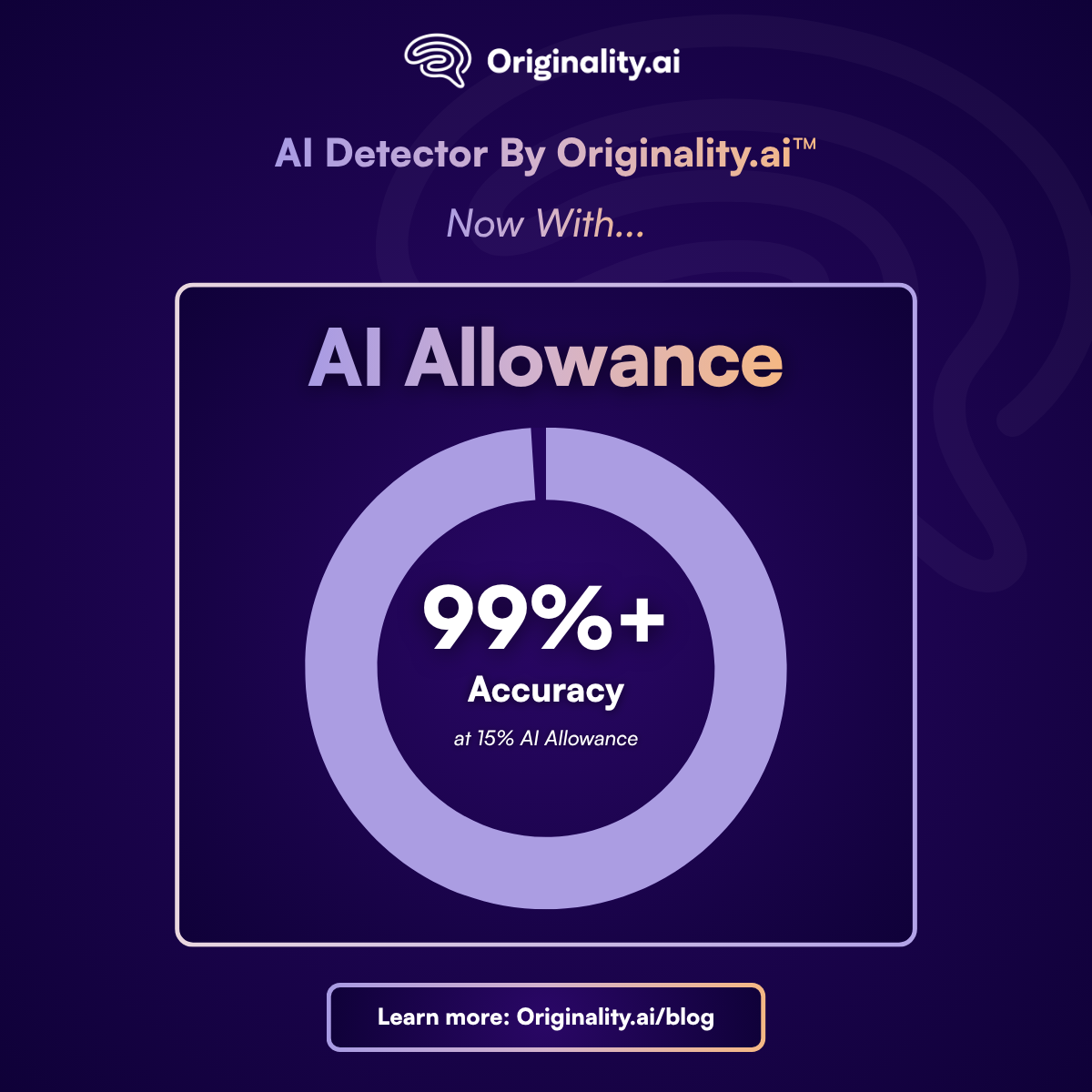
Originality.ai AI Allowance has 99.4% Accuracy when 15% AI Allowance is selected.
That’s across a 456,872-sample modern AI model benchmark slice, all while maintaining a very low false-positive rate.
Looking for even more insight into AI Allowance accuracy? Visit our Accuracy Study.
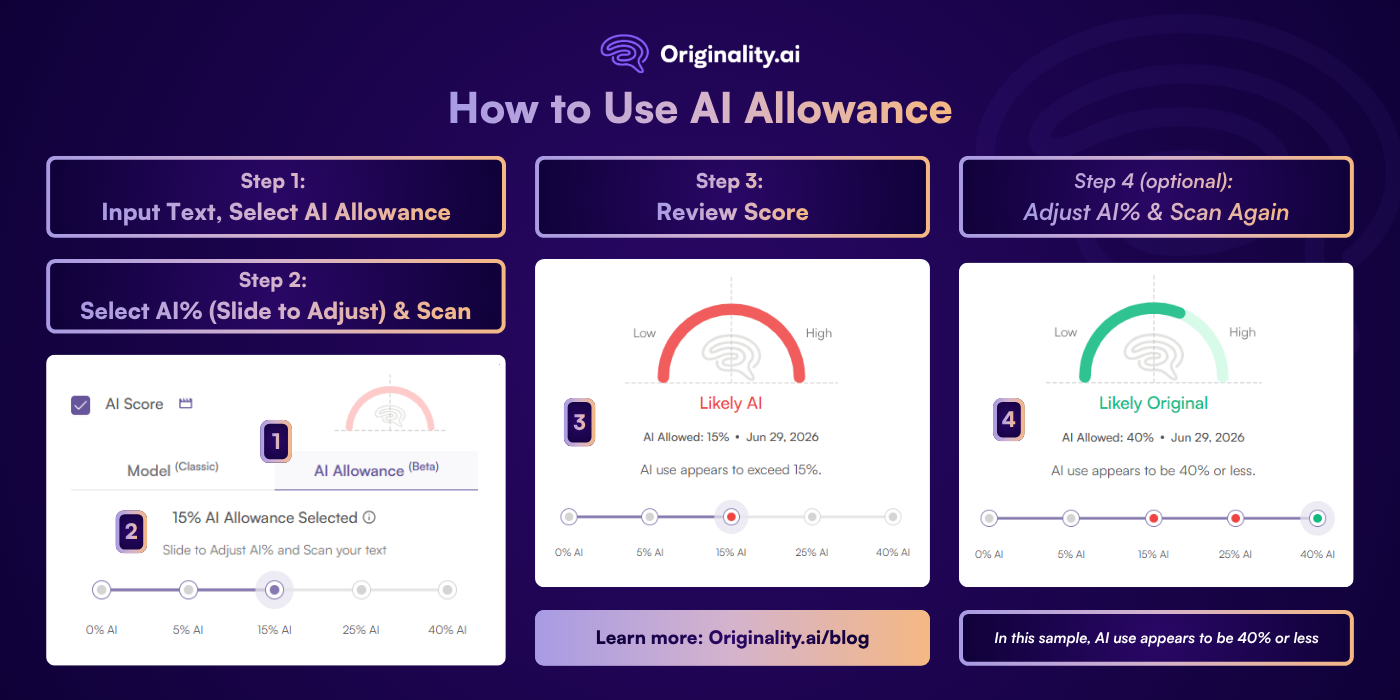
Step 1: Input text into the editor and select how you want to scan for AI (AI Allowance or by Model). In this case, select AI Allowance.
Step 2: Slide to adjust the AI% that you permit for a particular scan.
Step 3: Scan to check for AI text and review your score.
Step 4 (Optional): Want to adjust the AI allowance? Slide to adjust the AI%, and scan again (note this will use additional credits and run a new AI scan).
Book a time to discuss Originality.ai for your school.
AI Detector By Originality.ai™ is redefining AI detection with customizable AI allowance.
As content creation shifts to human-AI hybrid writing, you now have the flexibility to adjust how much AI you allow when running an AI detection scan.
So what are you waiting for? Sign up to try AI Allowance today!
Have a question? Reach out to our exceptional support team here.
Learn more about AI detection at Originality.ai:
To run an AI Allowance scan, log in to the Originality.ai app. Select ‘New Scan,’ then adjust the slider to adjust the AI percentage you allow. Simple.
You can choose to allow 0%, 5%, 15%, 25%, or 40% AI when you run an AI Allowance scan.
This depends on your use case. If you don’t want to allow any AI writing, choose 0%. However, if you want to allow hybrid human-AI writing (but not an entirely AI-generated article), you could choose 40% AI. Then, if you only permit light AI editing like grammar or spelling edits, moderate (15% AI) is a great choice.
We’ve found that 15% AI is a good option for most use cases.
How to read the AI Allowance Confidence Score: The AI Allowance Confidence Score reflects the probability that the scanned text was AI-generated or rewritten by AI.
Example: You select 15% AI Allowance and see the score ‘Likely Original.’ This should be read as: ✓ AI use appears to be 15% or less.
Forget what the AI Allowance Confidence Score means? You can also find the example above in the app for easy reference!
There’s no change to how much an AI detection scan costs, whether you choose to run a classic scan with an AI detection model (Lite, Turbo, etc.) or with AI allowance. Visit the Originality.ai Pricing page to learn more.

AI & Plagiarism Detector for Serious Content Publishers
Originality.ai
64 Hurontario St
Collingwood, Ontario
L9Y 2L6